
I just found out WhatsApp is rolling out some new text formatting options starting today. Pretty cool, huh? They say it’s to make our chatting experience even better. I mean, up until now we’ve already had bold, italic, strikethrough, and monospace to jazz up our messages.
But these new additions really open up a whole new world! We’ve got bulleted lists, numbered lists, block quotes, and inline code formatting now available on Android, iOS, Web, and Mac. I heard they were testing these out before releasing them more widely.


For bulleted lists
Type the – symbol, followed by a space.
For numbered lists
Type 1 or 2 digits followed by a period and one space.
For block quote
Type the > symbol followed by a space
For inline code
- Wrap text with ` symbol
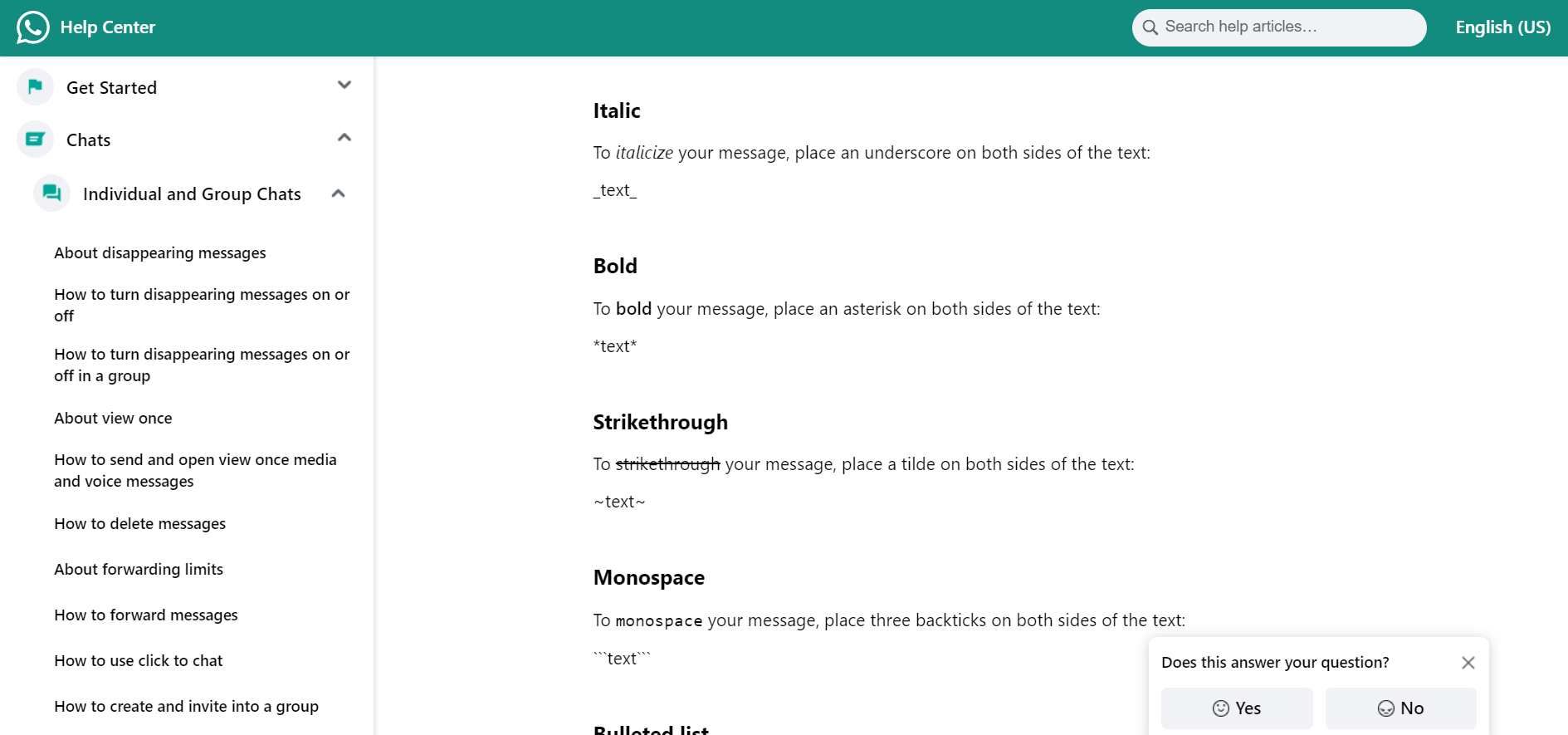
And if you had no idea about the text formatting options in WhatsApp, these are the shortcuts to use the original ones:
For Bold
- Wrap text with * symbol
For Italic
- Wrap text with _ symbol
For Strikethrough
- Wrap text with ~ symbol
For Monospace
- Wrap text with ` ` ` symbol
The image above shows what’s new really clearly (the first four options with the green background) and how to use the different formatting tricks. They seem super easy to add when you want them, check it out.
For a bulleted list, just add the “-” symbol before your text followed by a space. Keep adding more items by rinsing and repeating the same format. Numbered lists work the same way, except you put “1. ” and then “2. ” and so on instead.
To get a block quote, simply use the “>” symbol followed by a space and voila! For inline code, just wrap text with “`” – like this.
Pretty neat extras right? I can’t wait to start experimenting with these in my chats! Let me know if you have any other questions.