


Logic Behind It Explained
You would have often seen an AI label like this, and wondered why it appears even on real images.


This Diwali Sakshi Singh Dhoni, the wife of MS Dhoni, posted her family photo and it got the AI label. Now obviously MS’s family members are not AI bots, they are a real, lovely, adorable family, but even then people were chattering in the comments that this image is AI generated.
Today I will explain what the logic is.
Meta Reads What The Editing Tool Wrote Into The File
The simple thing here is that Meta is working on the logic of C2PA and IPTC metadata that AI editing tools write into the file, and if it finds these marks the post gets the label.
- C2PA is a small signed record inside the image file. The tool that made or edited the image writes it, and it says which tool was used and whether AI made the picture.
- IPTC is the older photo information field, the same place where a caption or a photographer’s name is kept. AI tools can write “made by AI” there too.
- Meta checks both when you upload. It does not sit and look at your face to decide.
Since September 2024 Meta has said that a photo only edited with AI should get the note inside the post’s menu, and only a photo created with AI should get the label on the post itself. Keep that in mind for what comes next.
My Friend Haseeb Got The Same Label On His Own Photo
Haseeb is my friend and he works in a bank. He got his photo clicked by his colleague, and obviously it was not over lighting and a bit of a dull image, so he asked AI to enhance it and posted it on FB (I liked his pose, by the way).


But do you see, he also got the LABEL. Now Haseeb is not a robot. When I asked him,
“yeh photo edit kaha sy ki tumny” (where did you get this photo edited from)
he said,
“AI ko diya bola chikna krdy thora” (gave it to AI and told it to make it a bit smoother)
So AI enhanced it, and what Meta picked up is that the image is AI generated.
What Meta Claims On The Label
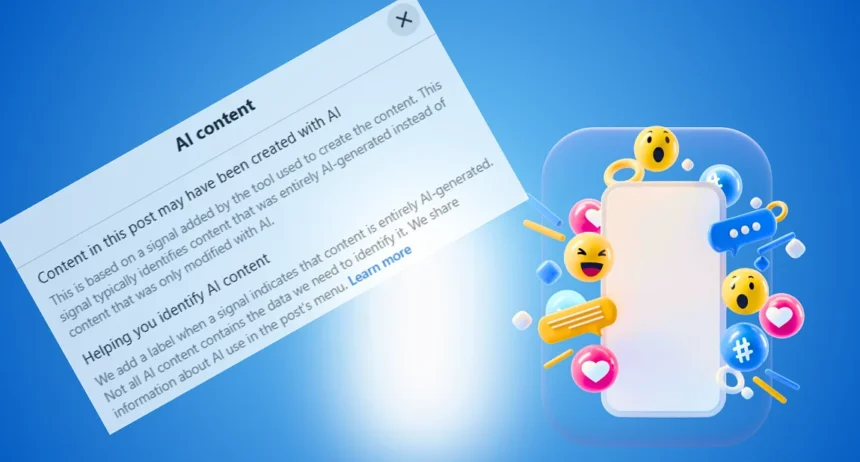
Content in this post may have been created with AI
This is based on a signal added by the tool used to create the content. This signal typically identifies content that was entirely AI-generated instead of content that was only modified with AI.
Helping you identify AI content
We add a label when a signal indicates that content is entirely AI-generated. Not all AI content contains the data we need to identify it. We share information about AI use in the post’s menu. Learn more
So now it is not like a flaw in the editing, but obviously META has machine learning and an algorithm that works this way, so you can say it is META that is weak here.
They say “entirely AI-generated”, and by the term entirely it obviously means the entire image was enhanced. It is not like you give your photo to an AI Photo Editor, ask it to fix just the left side, and it replies with only the left side. GPT replies with the full image in the output, right, and Meta AI itself replies with the full image in the output. So that is the story.
Goli Got The Label On Its Video But Not On Its Ad
Well, now one more thing. GOLI, the popular brand, see, they generated a VIDEO and META quickly picked it right away as AI. Ok, cool.


And META says above that they mark it, right? So WHY are they not printing it on their ADS? The GOLI ad I am sharing here below is, to my eye, literally a 100% AI generated image from the same template theme, but there is no label here??


Here is where the transparency is a must, because the packaging, the branding and the expectation are all coming from AI, creating a picture of the product that the real product cannot match. Here it is most needed, as products are being sold on AI generated images and in reality they differ a lot. Or take the local products. When you are buying clothes, bags or such items, the images are being generated by local sellers with AI.
Even on edibles it sounds very brutal. See that dry fruit ad, how highly it enhances the quality, but in reality it would differ.


To be fair, the label depends on what the design tool wrote into the file, so an ad can miss it for that reason too. But that is exactly why META should be checking the ads, as these ads when product images are generated with AI are misleading product images.


Do you see they literally say “There are a few ways organic content, or content that is not an ad“
What they currently do is for ADS AI label:
Tucked inside the three-dot menu: For most paid ads, Meta places the AI disclosure inside the “About this ad” section behind the three-dot menu (...) rather than displaying it openly on the ad itself.
Via this post I would like to give a message to META. Instead of working just on organic posts, work on the ADS. Stop hunting the revenue. If you are being transparent on a normal post, why are you guys giving room to the ADS? Is it the money that is speaking over your transparency?
Can You Avoid These AI Marks On Your Work Images
Now, apart from criticizing Meta, are you wondering how do I avoid these AI marks on my work related or social media marketing images? Well, I suggest you should not.
And in case you still want to, one option that works is SVG tracing of the image. Now I do not guarantee a 100% same image. Let’s say I have a logo, a character or an animation, and I have a good AI tool like GPT 6.2 Astra. I ask it to trace the image as an SVG, and I am free from the AI markers of META and of GOOGLE SynthID. Now they both differ:
- Meta’s mark is kept in the file’s information, beside the picture.
- Google’s SynthID is put inside the picture itself, in the pixels, at the moment the image is made. You cannot see it.
- So a crop, a filter or even a screenshot does not remove SynthID. It goes only when the picture is drawn again from scratch.
Google can detect it, and it might reduce its promotion in the Google SERP or on YouTube, maybe, depending on how the algorithm weighs AI as compared to real.
When you do SVG tracing the picture is drawn again as lines and shapes, so those watermarks are dropped.
Also another option is use of Grok. The tests I have seen and done myself xAI writes these marks into its files but the other platforms are currently not tracking it in a perfect way the way they do for their native platforms, so I have covered it in this detailed post you can read it as well.


