In the world of viral content, one thing that consistently grabs attention is voiceovers. From funny commentary to dramatic storytelling, voiceovers turn ordinary videos into unforgettable experiences. But what if you could create those captivating voiceovers without a microphone, studio, or voice acting experience? CapCut PC’s AI Voice Generator is a remarkable feature that transforms written text into expressive, lifelike speech in just seconds.
This powerful tool isn’t just another gimmick. It’s the secret weapon behind countless viral TikToks, YouTube Shorts, Instagram Reels, and even educational content. Whether you’re a content creator, marketer, educator, or student, learning how to use CapCut’s AI Voice Generator can unlock the next level of video storytelling.
Why CapCut’s AI Voice Generator Is a Viral Content Magnet
CapCut’s tools, such as Text to Speech AI, aren’t just about converting text to speech; they’re about adding emotion, personality, and clarity to your videos. Here’s why it’s become a favorite tool for creators chasing virality:
- Lifelike Voices: Choose from a variety of voices (male, female, robotic, dramatic, casual, and more) to match the tone of your video.
- Fast and Easy: Type your script, select a voice, and click generate. No retakes or background noise issues.
- Multilingual Options: Reach a global audience with voices available in multiple languages and accents.
- Highly Editable: Instantly adjust tone, speed, and pauses to match video pacing.
With these features, even short clips can have a significant impact, making them perfect for keeping viewers hooked from start to finish.
How to Make Viral Voiceovers with CapCut AI Voice Generator
Creating viral-ready voiceovers is easier than ever. Follow these simple steps to bring your content to life:
Step 1: Write a Script That Grabs Attention
A strong voiceover starts with a strong script. Think short, snappy, and emotionally engaging. Your first few seconds matter the most—use them wisely.
Tips for writing viral scripts:
- Hook early: Start with a surprising fact, a bold question, or a dramatic statement.
- Keep it tight: For Reels or TikToks, aim for 15–30 seconds max.
- Make it relatable: Use everyday language your audience connects with.
- Add humor or drama: Emotion drives engagement. If people laugh, cry, or nod in agreement, they’ll likely share it. Example Script for a food video: “Ever wonder what happens when you deep-fry an Oreo? Spoiler: It’s dangerously addictive. Here’s what went down.”
Step 2: Generate the Voiceover in CapCut Desktop
Once you have your script, it’s time to let CapCut do the magic. Open CapCut Desktop Video Editor and start a new project. Import your video or images into the timeline.


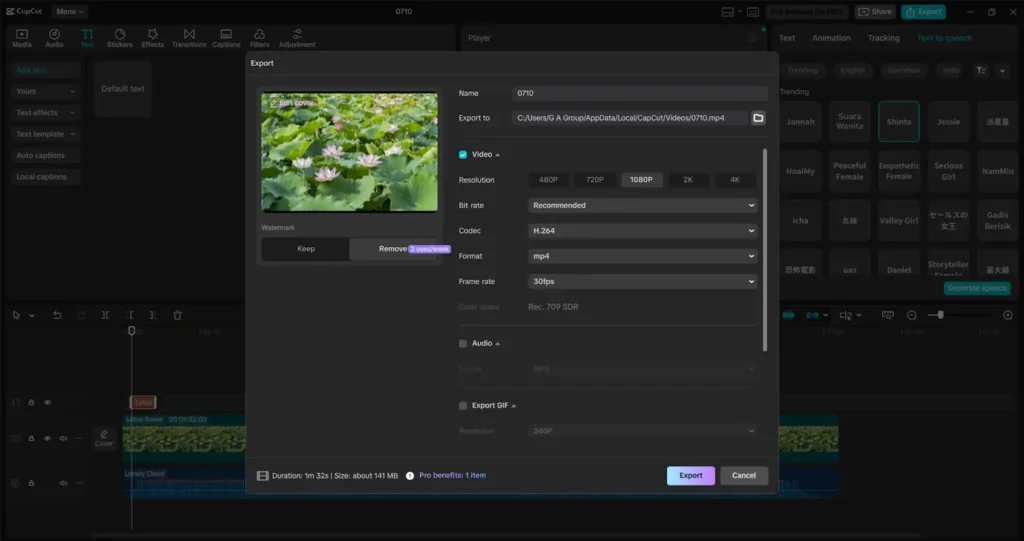
Click on the “Text” tab on the top menu. Select “Text to speech”. Paste your script into the box. Choose your preferred AI voice from the list (try out different tones to find the one that fits). Preview and click “Generate speech”. CapCut will instantly convert your script into a smooth, studio-quality voiceover that syncs perfectly with your video. Use CapCut AI Video Upscaler to enhance the quality of your viral videos.


Step 3: Sync, Edit, and Add Finishing Touches
With your voiceover ready, the final step is to polish your video for a viral finish.
- Sync the voiceover with visuals: Drag the audio clip on the timeline to match the key visuals.
- Use captions: Add auto-captions so viewers can read along, especially when watching with the sound muted.
- Enhance with sound effects or music: Add background tracks that complement the tone of the voice.
- Apply video effects: CapCut features built-in visual effects to enhance emotion, such as zoom-ins for dramatic moments or glitch effects for added humor.
Don’t forget to trim awkward pauses or overly long scenes. The shorter and punchier the final video, the better it performs on social platforms.
Tips to Make Voiceover Videos Go Viral
Once your video is ready, follow these tips to boost its visibility:
- Use trending sounds or remix with viral music (CapCut makes this easy).
- Post at optimal times when your audience is online.
- Add hashtags like #AITikTok, #CapCutVoiceover, and #StorytimeVideo to reach niche communities.
- Continue experimenting with various voice tones and video styles until you discover your unique viral formula.
- Collaborate with others—have one creator write the script, another edit, and a third narrate using AI.
Why CapCut Stands Out from Other Voiceover Tools
There are other AI voice generators available, but few are as beginner-friendly or deeply integrated into a comprehensive video editing suite like CapCut. You don’t need to bounce between apps; everything, from script writing to final export, happens in one place. Additionally, CapCut’s AI continues to improve, resulting in voices that are becoming more natural, expressive, and believable. And with free access to high-quality tools, it levels the playing field for new creators and students alike.
Conclusion
Voiceovers are more than narration—they’re a storytelling device, a brand personality, and sometimes, the reason someone hits the “share” button. CapCut’s AI Voice Generator helps anyone, regardless of skill level, bring videos to life with professional-quality voiceovers in minutes. The next time you see a viral clip with a voice that makes you laugh, lean in, or cry, there’s a good chance it was created with CapCut. Now it’s your turn to try. Start creating with the AI Voice Generator in CapCut Desktop—and make your voice go viral.