Have you ever set your iPhone down, only to see it type on its own, open apps randomly, or scroll without your input? This frustrating issue is called ghost touch.
Ghost touch isn’t just annoying — it can interfere with work, cause accidental purchases, and sometimes indicate serious hardware problems. For users, ghost touch is even more common because of weather extremes, moisture, and accidental screen damage.
At Reparation Tech, we see ghost touch issues daily. This guide covers everything: what ghost touch really is, why it happens, what you can do at home, and when to seek expert help.
What Is Ghost Touch?
Ghost touch happens when the digitizer — the layer of your phone that registers touch — misinterprets signals.
Symptoms include:
- Typing letters or numbers without input
- Apps opening or closing by themselves
- Pages scrolling on their own
- Screen refusing to respond properly
Why Ghost Touch Happens
Ghost touch has multiple causes, and understanding them helps you identify the right fix.
Hardware Causes
- Cracked or damaged screen
- Loose digitizer connections after a drop
- Cheap aftermarket screen replacements
- Damaged touch IC chip (controls touch signals)
Software Causes
- iOS update bugs
- Conflicting apps
- Touch calibration issues
Environmental Causes
- Extreme cold: Winter temperatures confuse touch sensors.
- Humidity & condensation: Water vapor sneaks under protectors.
- Static electricity: Sudden indoor-to-outdoor shifts in winters.
- Moisture under protectors: Especially after snow or rain.
Ghost Touch in iPhones

Certain iPhones are especially vulnerable:
- iPhone X “Touch Disease”: Caused by loose connectors on the logic board.
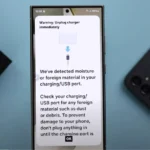
- Newer iPhones with USB-C: Moisture detection sometimes misreads signals.
- iOS glitches: Updates can cause temporary ghost touch until patched.
Quick Fixes You Can Try
Before heading to a shop, try these:
- Restart your phone
- Clean the screen with a microfiber cloth
- Remove case or protector (fit issues cause pressure spots)
- Update iOS
These often solve temporary ghost touch issues.
When It’s Definitely Hardware
Signs it’s beyond DIY:
- Persistent ghost touches in the same area
- Cracked or flickering screen
- Phone dropped recently
- Screen discoloration
At this stage, repairs require specialized tools.
How Professionals Fix Ghost Touch
At Reparation Tech, technicians use methods like:
- Microscope inspection of connectors
- Micro-soldering to repair damaged chips
- Ultrasonic cleaning to remove moisture & corrosion
- Premium display replacement with quality-tested parts
Repairs are often done same-day, so you don’t lose access to your phone.
Cost vs Value
Fixing ghost touch early prevents bigger failures:
- Prevents permanent digitizer burnout
- Stops accidental app purchases
- Saves money vs full phone replacement
If beyond repair, consider upgrading via Reparation Tech’s programs.
Conclusion
Ghost touch may feel like your phone is haunted, but the cause is almost always technical and fixable.
Quick fixes can help temporarily, but if the issue persists, expert help is best. For fast diagnostics and reliable phone repair , local residents can count on local repair shops.
FAQs
Yes, but recurring ghost touch usually signals deeper issues.
In most cases, yes — unless the motherboard is damaged.
Yes. Poor-quality charging accessories often cause interference.
Not physically, but it can cause accidental purchases, missed calls, and data loss.