
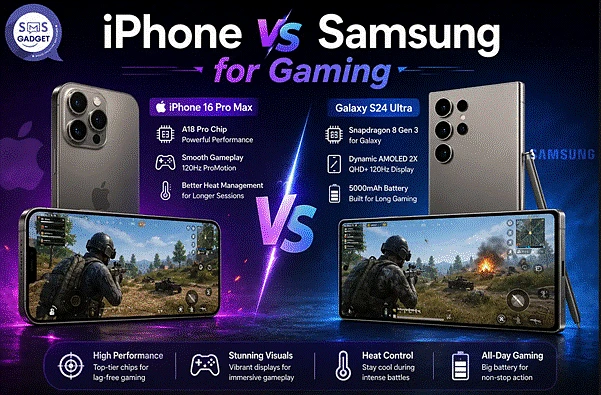
PUBG Mobile (BGMI) and Free Fire get lumped together as “battle royale games” constantly, but they place wildly different demands on a phone’s hardware, one is a genuine Unreal Engine workout, the other was built to run smoothly on almost anything. That means “which phone is better for gaming” doesn’t actually have one answer; it depends entirely on which of the two is loaded up. This guide breaks the comparison down game by game and price tier by price tier and adds something most gaming comparisons skip entirely: what Bangladesh’s heat does to either phone mid-match.
PUBG Mobile/BGMI vs Free Fire — Why Their Hardware Needs Differ?
PUBG’s Unreal Engine — Higher Processing Demand
PUBG Mobile runs on Unreal Engine, rendering large open maps, detailed environments, and dozens of simultaneous players in real time. Even at reduced settings, this places genuine sustained load on both CPU and GPU, especially during high-player-count moments like the early-game drop or late-game circle fights.
Free Fire’s Lightweight Engine — Runs on Almost Anything
Free Fire was deliberately built with lighter production values and a smaller max player count (52 versus PUBG’s 100), specifically to run smoothly on lower-spec hardware across emerging markets. This isn’t a limitation so much as a design choice—Garena built Free Fire’s popularity partly on being playable on phones that would struggle badly with PUBG.
Why This Matters When Comparing iPhone vs Samsung?
Because the two games ask such different things of a phone, a device that’s clearly the better PUBG performer isn’t automatically the better Free Fire performer, and vice versa—a budget phone that runs Free Fire beautifully might genuinely struggle to hold a stable frame rate in PUBG’s extreme settings. Every comparison in this guide treats the two games separately for exactly this reason.
Processor and Chipset Comparison for Gaming
Apple A-Series Chip Performance
Apple’s A-series chips are consistently strong on both peak and sustained performance, thanks to tight hardware-software integration across iOS. The current A19 (iPhone 17 lineup) and A19 Pro (Pro/Pro Max) handle demanding graphics workloads with comparatively little throttling in short-to-medium sessions.
Snapdragon and Exynos Performance in Samsung Flagships
The Snapdragon 8 Elite Gen 5 in the Galaxy S26 Ultra is squarely competitive with Apple’s silicon on raw benchmark numbers, and in some GPU-heavy workloads, edges ahead. Samsung’s mid-range Exynos and Snapdragon 6-series chips (used across the A-series) are considerably less powerful, which matters much more for PUBG than for Free Fire.
GPU Performance — Frame Rate Stability in Long Matches
Peak frame rate numbers matter less than stability over a full 20-30 minute match. Both the current iPhone flagships and the S26 Ultra can technically hit high frame rate ceilings, but which one holds that frame rate for the whole match without dropping—rather than just touching the peak briefly, depends heavily on cooling, covered further below.
PUBG Mobile/BGMI Performance — iPhone vs Samsung
Graphics Settings and Max FPS Support on Each
PUBG Mobile’s frame rate tiers, as of the game’s early-2026 update, cap out at Smooth graphics + Ultra Extreme frame rate for 120 FPS, while HD/HDR graphics cap at 90 FPS and Ultra HDR caps at 60 FPS—a deliberate trade-off where the most detailed visual settings never unlock the highest frame rates. Both the current iPhone 17 series and the Galaxy S26 Ultra are whitelisted for the 120 FPS Ultra Extreme tier; mid-range A-series phones typically top out around the 60-90 FPS tier depending on the specific model and RAM configuration.
Frame Drops During Intense Fights
This is where flagship-tier hardware earns its keep. Community testing and player reports consistently describe both current iPhone flagships and the S26 Ultra holding up noticeably better than mid-range phones during the heaviest moments—full 100-player drops and multi-vehicle combat—where GPU load spikes hardest. Take specific FPS figures from community benchmarks as approximate, tester-reported numbers rather than official specs, since real results vary by unit, software version, and ambient temperature.
HDR/Extreme Graphics Availability by Model
Availability of the highest graphics tiers is whitelist-based rather than purely spec-based — Krafton (PUBG Mobile’s developer) manually approves which specific device models can access Ultra HDR and Ultra Extreme settings, meaning a phone can technically have the horsepower for a setting and still not have it unlocked until Krafton adds that specific model.
Free Fire Performance—iPhone vs Samsung
FPS Stability on Budget vs Flagship Models
Free Fire’s lighter engine means the performance gap between budget and flagship hardware is far smaller than in PUBG. Most current mid-range Samsung A-series phones run Free Fire at a stable frame rate without needing anywhere close to flagship-level chipsets.
Why Does Free Fire Run Smoothly Even on Mid-Range Samsung Phones?
Garena has consistently optimized Free Fire for lower-spec Android hardware, since a huge share of its player base across South and Southeast Asia uses budget devices. A Galaxy A16 or A36 handles Free Fire comfortably at solid settings without the thermal or frame-drop concerns that show up under PUBG’s heavier load.
iPhone’s Advantage in Older or Budget Models
Because even Apple’s older or budget iPhones (like the iPhone SE or an iPhone 13 still in circulation second-hand) carry chipsets that were flagship-tier at release, they tend to run Free Fire extremely smoothly years after launch—arguably better long-term Free Fire performance-per-taka than an equivalently priced older Android phone, simply because Apple’s chip performance ages more gracefully.
Touch Response and Display for Competitive Gaming
Touch Sampling Rate Comparison
Higher touch sampling rates translate directly into faster registered inputs—critical for split-second aim adjustments. Current iPhone and Samsung flagships both offer high touch sampling rates well-suited to competitive play; the gap narrows considerably once you’re comparing flagship to flagship and widens more when comparing either flagship against a budget A-series model.
Refresh Rate Impact on Aim and Reaction Time
A 120Hz display genuinely improves the visual feedback loop for competitive players, making enemy movement and your own aim tracking feel smoother than 60Hz or 90Hz. Both the S26 Ultra and current iPhone flagships run 120Hz; mid-range A-series models increasingly offer 120Hz too, though budget-tier models often cap at 90Hz.
Screen Size and HUD Customization
Samsung’s larger flagship displays (and especially the Z Fold’s unfolded screen) give competitive players more room to spread out HUD elements, fire buttons, scope controls, and minimap, reducing accidental mis-taps during frantic fights, an advantage smaller iPhone screens can’t fully replicate.
Heat Management During Long Gaming Sessions in Bangladesh’s Climate
Thermal Throttling in Hot Weather
This is genuinely underexplored in most comparisons, and it matters a lot locally. Bangladesh’s summer ambient temperatures regularly push phones toward thermal throttling faster than they would in cooler climates, since the phone starts a gaming session from an already-warmer baseline. Extended PUBG sessions in extreme settings during peak Dhaka summer heat can trigger visible frame rate drops within 15-20 minutes on many flagship phones, iPhone and Samsung alike, this isn’t unique to either brand, but it’s a real factor local players report more than testers in cooler regions typically discuss.
iPhone vs Samsung Cooling Design Differences
Samsung’s larger flagship bodies (particularly the Ultra models) generally have more internal volume for heat dissipation, which can translate into slightly better sustained performance in back-to-back matches. iPhones tend to throttle a bit more conservatively under sustained heavy load, prioritizing consistent performance over raw peak numbers—a design philosophy difference more than a clear “better” or “worse” outcome.
Practical Tips to Reduce Overheating While Gaming
Avoid gaming in direct sunlight or an un-air-conditioned room during peak afternoon heat, remove thick phone cases while playing extended sessions, close background apps before starting a match, and consider dropping from Ultra HDR to Smooth graphics during the hottest parts of the day—a real frame rate trade-off, but one that meaningfully reduces throttling risk.
Battery Life and Charging During Extended Gaming
Battery Drain Rate — PUBG vs Free Fire
PUBG at high graphics and frame rate settings draws noticeably more battery than Free Fire’s lighter engine—community testing has put PUBG’s 120 FPS Extreme mode at roughly 40-60% more battery draw than a standard 60 FPS session, a gap that doesn’t apply nearly as strongly to Free Fire’s lighter workload.
Fast Charging Recovery Between Gaming Sessions
Samsung’s flagship charging speed advantage matters here—the S26 Ultra’s 60W wired charging can top up meaningfully faster between gaming sessions than the standard iPhone’s charging ceiling, a real practical benefit for players squeezing in matches between other commitments.
Budget-Wise Comparison — Best Gaming Value at Each Price Tier
Under 50,000 BDT
Samsung’s Galaxy A16 or A36 dominates this tier, there’s no current iPhone option this cheap new, though a used iPhone SE or older iPhone 13 sometimes falls into this range secondhand and can outperform a similarly priced Android phone, specifically in Free Fire.
50,000–100,000 BDT
The Galaxy A56 and the iPhone 16e compete directly here, the A56 generally offers a smoother PUBG experience at higher settings thanks to its more modern chipset for the price, while the iPhone 16e’s A18 chip handles Free Fire and moderate PUBG settings very comfortably.
Flagship Tier (100,000+ BDT)
The iPhone 17/17 Pro Max and Galaxy S26 Ultra both deliver excellent performance in both games at maximum settings, the differentiator here comes down to sustained thermal performance and personal preference rather than either device being clearly outmatched. Buyers comparing configurations for the iPhone side of that decision can check current stock and pricing at a trusted Best iPhone Shop before committing to a specific storage tier.
| Model | Price (BDT) | PUBG FPS (approx., community-reported) | Free Fire FPS (approx., community-reported) |
| Galaxy A16 5G | 21,999–26,499 | 40-60 FPS (Smooth/HD) | 60 FPS stable |
| Galaxy A56 | 54,999–59,999 | 60-90 FPS | 60-90 FPS stable |
| iPhone 16e | 64,999–99,999 | 60-90 FPS | 90 FPS stable |
| iPhone 17 | 1,00,999–1,47,999 | 90-120 FPS (Ultra Extreme, session-dependent) | 90-120 FPS |
| Galaxy S26 Ultra | 1,99,999–2,28,999 | 90-120 FPS (Ultra Extreme, session-dependent) | 90-120 FPS |
FPS figures above are approximate, community-tested estimates rather than official benchmarks, actual performance varies by software version, thermal conditions, and individual unit.
For up-to-date pricing on the flagship tier specifically, checking the Latest iPhone Price in Bangladesh is worth doing before deciding between the iPhone 17 and its Samsung counterpart, since both brands adjust local pricing periodically.
Which Bangladeshi Gamers Actually Prefer—A Community Perspective?
Popular Choices Among BD PUBG/Free Fire Streamers and Tournament Players
Anecdotally, competitive PUBG players and streamers in Bangladesh’s mobile esports scene skew toward flagship Android devices, partly for the 120 FPS support and larger screen real estate for HUD control and partly because Android’s broader third-party accessory support (external triggers, cooling clips) is more mature than iOS’s equivalent ecosystem. iPhone ownership among casual and Free Fire-focused players is common too, largely for reasons beyond gaming performance alone—brand preference, camera quality, and resale value all factor in.
Why Do Casual vs Competitive Players Choose Differently?
Casual players optimizing for “good enough” performance across both games, plus non-gaming daily use, often lean toward whichever phone fits their budget and ecosystem preference—brand loyalty and other features matter as much as raw gaming benchmarks. Competitive players chasing every possible frame and input-lag advantage are more likely to specifically research device-level PUBG whitelisting and thermal performance before choosing, which currently tends to favor flagship Android hardware for the reasons above.
Frequently Asked Questions
Does iPhone run PUBG Mobile better than Samsung?
At the flagship tier, performance between the iPhone 17 series and the Galaxy S26 Ultra is close enough that neither has a decisive advantage; the Galaxy tends to hold up marginally better in extended, hot-weather sessions due to its larger body and thermal capacity, while iPhone offers very consistent, predictable performance throughout a match.
Which phone is better for Free Fire, budget Samsung or iPhone SE?
Both handle Free Fire comfortably given the game’s lightweight engine. A budget Samsung A-series phone offers a larger, more modern display and 5G connectivity for a comparable price; an iPhone SE or similar older iPhone often delivers smoother sustained performance thanks to a chipset that was originally flagship-grade.
Why does my phone overheat while playing PUBG in Bangladesh’s summer?
High ambient temperatures during Bangladesh’s summer months mean a phone starts gaming sessions from an already elevated baseline temperature, so it hits its thermal throttling point faster than it would in cooler weather — playing in direct sunlight, using a thick case, or running Ultra HDR settings all make this worse.
What refresh rate is best for competitive mobile gaming?
120Hz offers the smoothest visual feedback for competitive play, provided the phone’s chipset can actually sustain a matching frame rate; a stable 90Hz experience is generally preferable to an unstable, throttling 120Hz session that keeps dropping mid-match.
Is Samsung’s AMOLED display better for gaming visibility?
Samsung’s Dynamic AMOLED panels on flagship models offer very high peak brightness, which helps with outdoor visibility during daytime gaming sessions; Apple’s Super Retina XDR display is comparably strong, so in practice the difference in gaming visibility between current flagships from either brand is minor.
Final Verdict—Best Choice for PUBG vs Best Choice for Free Fire
For PUBG Mobile/BGMI, a flagship-tier phone from either brand, the iPhone 17 series or the Galaxy S26 Ultra, is the safest choice for players who want reliable access to the highest graphics and frame rate tiers, with the Galaxy S26 Ultra having a slight edge in sustained performance during long, hot sessions thanks to its larger thermal mass and a genuinely useful larger screen for HUD spacing. Budget-conscious PUBG players will generally get a smoother experience from a premium A-series Samsung phone than from any current iPhone at the same price, simply because Apple doesn’t compete meaningfully below the mid-range tier.
For Free Fire, the calculus changes considerably because the game is so much lighter, mid-range Samsung phones and even older or budget iPhones both deliver a smooth, stable experience, making price, battery life, and personal ecosystem preference the more relevant deciding factors rather than raw gaming performance.