Have you wondered how easy it would be if we could transform all paper files into digital format as it will no longer occupy the space?
Not only does this reduce the occupied space but digital formats have a lot of benefits that we will cover in this blog.
The importance of a Document Scanner has become a requirement for anyone who works with documents. Whether you are a student, businessman, professor, or employee, you must keep your documents organized in digital format.
Document scanning or document imaging is no longer limited to significant devices into which an actual document must be inserted to start a mechanism that transforms the data on the paper into a digital copy, not to mention that this feature was only accessible for official purposes.
Scanning documents makes it easy to take paper documents and transform them into digital images with the “ASD File Manager app” which comes with the added functionality of ‘ScanDoc’. With this ASD File Manager app, you can scan your documents using the camera of your Android device to scan the documents you want and convert them into PDF format.
You can scan multiple documents and even make PDF files using ScanDoc features in the ASD File Manager app such as passports, ID cards, receipts, degrees, photos, and much more, so before we get into ScanDoc’s features, let’s know the benefits of scanning documents.
Benefits of Document Scanning with ScanDoc feature in the ASD File Manager App
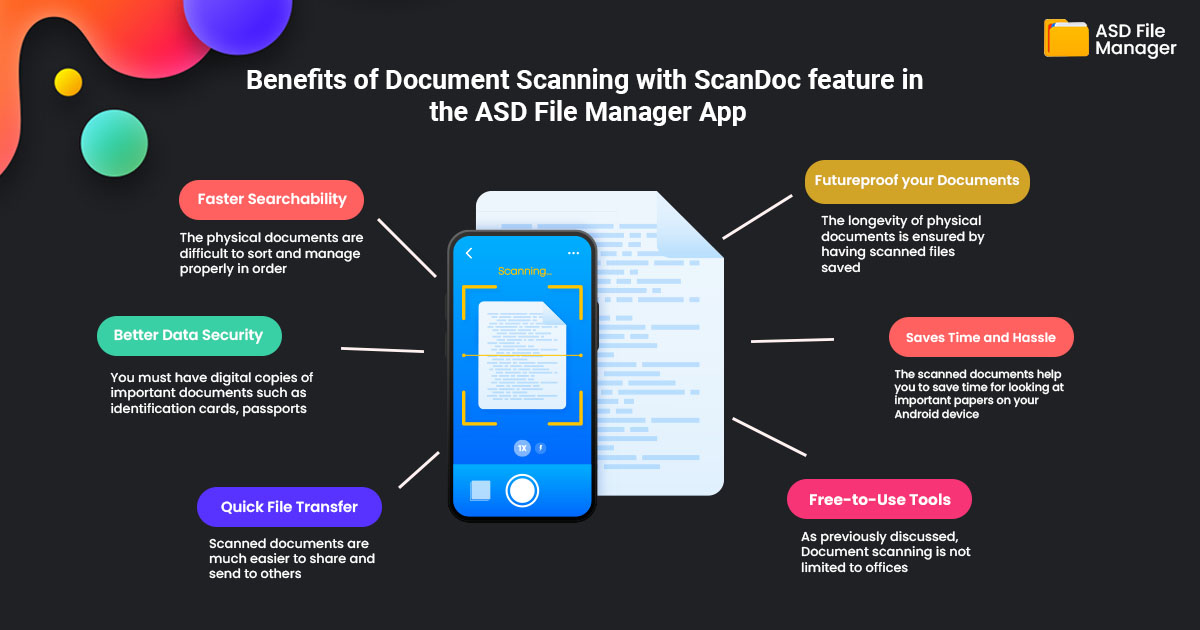
The following are the benefits of scanning documents with the ScanDoc feature in the ASD File Manager app:
- Faster Searchability:
The physical documents are difficult to sort and manage properly in order. If you have a large number of hardcopy documents then it’s like finding a diamond in a haystack. But with digital files, you can easily sort the files and search in a few seconds as your digital files are organized and managed properly.
- Better Data Security:
You must have digital copies of important documents such as identification cards, passports, and other important files to protect them from destruction due to natural disasters or unfortunate circumstances such as theft or fire.
- Quick File Transfer:
Scanned documents are much easier to share and send to others. You might remember sending physical documents through fax or courier and documents can take days to reach their destination. However, sharing scanned and digital documents over the internet takes only a few seconds.
- Futureproof your Documents:
The longevity of physical documents is ensured by having scanned files saved. Paper documents degrade and their ink starts to fade over time. On the other hand, digital papers can be kept current and unaltered for a very long time and if a physical copy is ever required, it can always be printed.
- Saves Time and Hassle:
The scanned documents help you to save time for looking at important papers on your Android device. The ASD File Manager app helps you look for a file by name or format. It can take a lot of time to handle and manage a lot of paper documents. In contrast to scanned PDFs, you may make as many copies of a single document as you need without having to search through the entire file.
- Free-to-Use Tools:
As previously discussed, Document scanning is not limited to offices. You may now scan documents from anywhere at any time using your Android smartphone. You may scan any actual documents or even photos and have them turned into PDF files by downloading the ASD File Manager app for Android devices. This document scanner feature also offers a variety of extra features including document filtering, cropping, and file compression.
Steps to Use the ScanDoc in the ASD File Manager app
Here we have provided steps to scan your documents with the ScanDoc feature in the ASD File Manager app below:
Step 1: Download/ Open the ASD File Manager app.
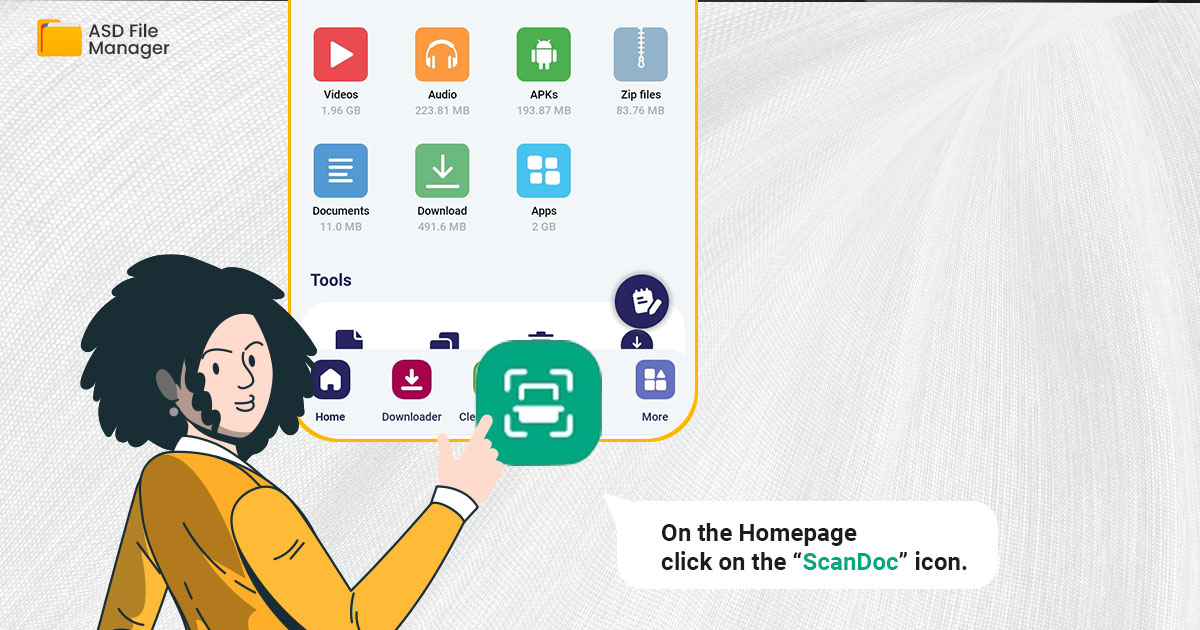
Step 2: On the Homepage click on the “ScanDoc” icon.
Step 3: Upload the document you want to scan or click from the camera.

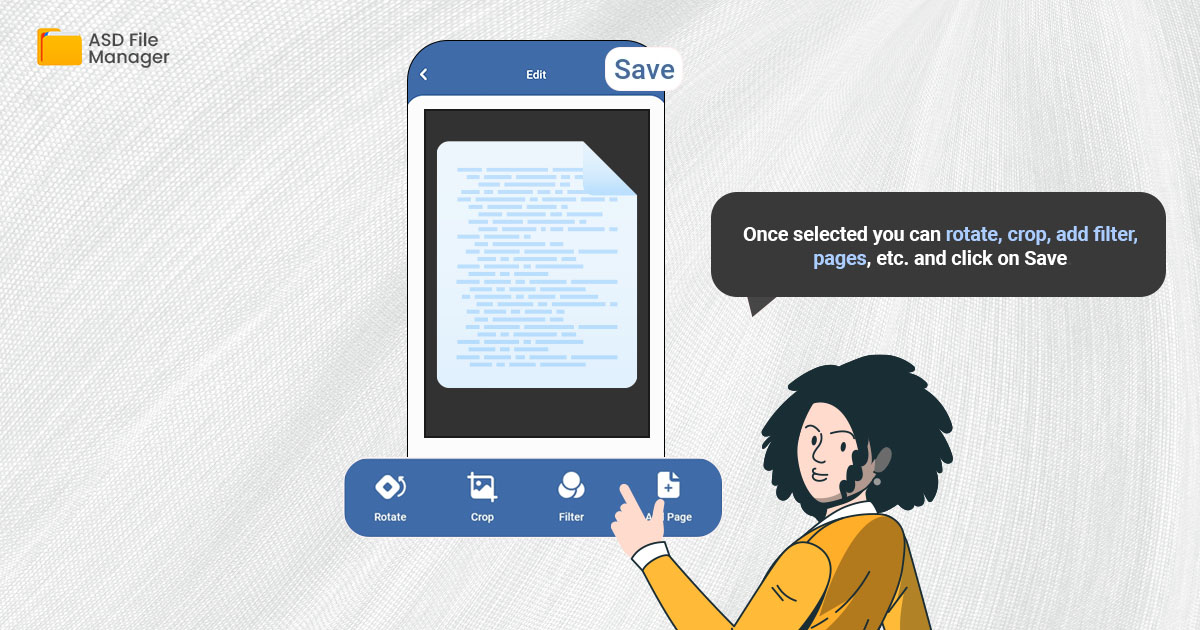
Step 4: Once selected you can rotate, crop, add filter, pages, etc. and click on Save.
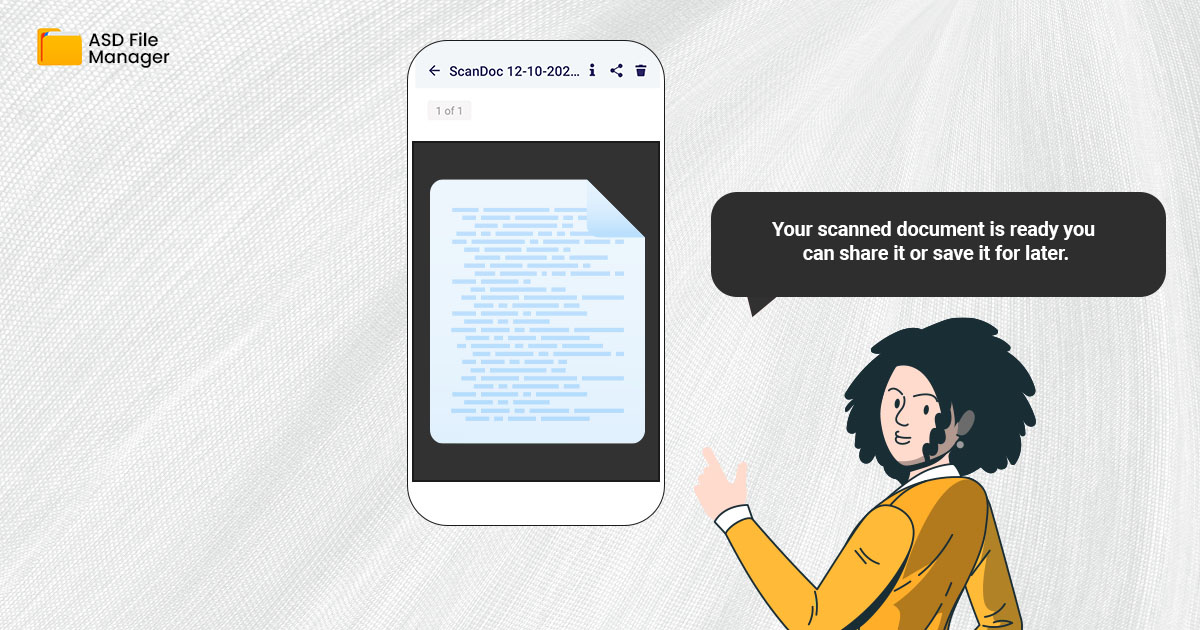
Step 5: Your scanned document is ready you can share it or save it for later.
Best ScanDoc features in the ASD File Manager App
ScanDoc is the quickest, most convenient, and most free portable document scanner that converts physical documents into digital documents using only your Android device. It is an in-built feature in the ASD File Manager app.
With the ScanDoc feature, you can easily manage all your digital and media files on your device, such as photos, videos, PDFs, and Zip files, as well as scan physical documents while on the go. Let’s explore the features of ScanDoc in the ASD File Manager:
- Scan Documents into a PDF
Scanning digital documents is as easy as taking pictures with your phone’s camera. Using the ScanDoc scanner, take photographs of your papers and store them. Great! Your PDF is ready. With the ASD File Manager app, you can view and read PDFs with a built-in PDF Reader. The main benefit of using this File Manager app instead of a separate PDF Reader or Document Scanner program is that you won’t have to install either one.
- Add Pages
With the ScanDoc feature, you can add new pages to your PDF document if your present document has more than one page. You just simply click on each image to add it to your PDF document before saving it and you can even add it later on by editing it.
- Add Filters or Crop it
There are advanced filters that you can use for the documents that you want to scan and convert to PDF. Also, you can crop out the unnecessary details from the images. This filter improves the quality of your PDF documents and makes them look sharper and clearer. You can also use filters to change the color of documents from blue to black or light to dark ink.
- Scan Images to PDF
You can upload your images, documents, and screenshots from your device’s gallery instead of clicking the picture of your documents. You can select images of documents or any other photos you want to convert to PDF as it will be easy to maintain them in an organized way and it won’t be scattered around.
If your PDF file size is large then you can reduce the size of the PDF according to your preference. You can use ScanDoc’s ‘Compress’ feature to select the quality of the file, choosing between high, low, and good quality, and adjusting the file size accordingly.
Conclusion
In the ASD File Manager app you can use the ScanDoc features as it is a built-in app that helps you to manage your paperwork intelligently. You can easily convert your documents, ID cards, and receipts to PDF and enjoy the benefits.
Documents that have been scanned become future-proof and are protected from natural disasters and they can be used to replace lost or stolen originals.
You can upload pictures from your device’s gallery or snap screenshots of the photographs you want to scan with ScanDoc. You can crop it, add more pages, apply filters to enhance its quality or compress it.