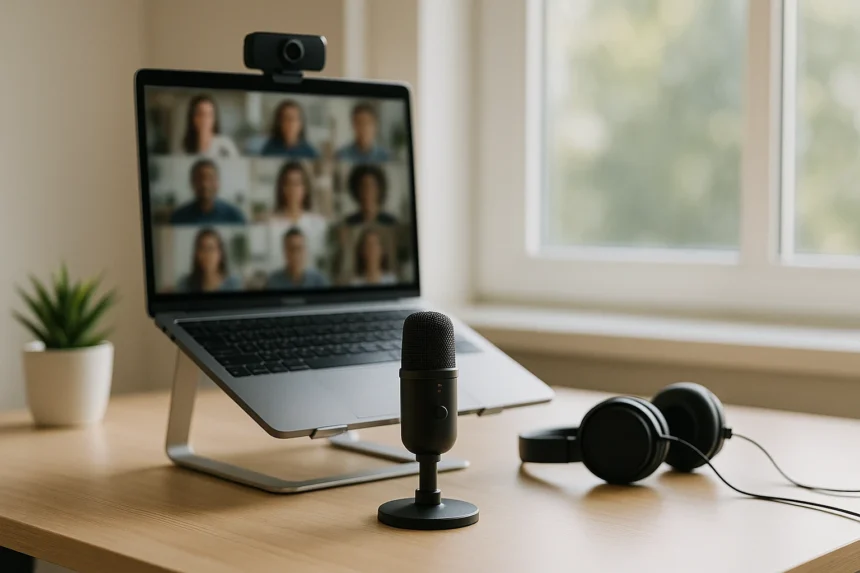
At 9am, your face can look perfectly fine on Zoom while your voice sounds like it’s coming from the bottom of a laundry basket. That’s the bit people remember. If you run client calls, teach online, interview job candidates, pitch work, or host webinars from the spare room, audio matters more than the camera angle. Sometimes the fix is free. Sometimes you really do need a headset or a microphones made for webinars. The trick is knowing which problem you actually have before buying another shiny thing for your desk.
Your room is probably the culprit
People love blaming Wi-Fi. Fair enough, Wi-Fi does plenty of stupid things. But most ugly call audio starts much closer to you, with a tiny microphone in a bad place.
Laptop mics are tucked near the keyboard, screen bezel, or hinge. Convenient for the manufacturer. Your voice? Not so much. They pick up the clack of your keyboard, the laptop fan having a nervous breakdown during a screen-share, vibrations from the desk, and the echo bouncing around your room.
Distance kills audio.
A microphone across the desk doesn’t only hear you. It hears the room almost as loudly. Lean back in your chair and your voice drops. Turn toward a second monitor and suddenly you sound like you’re leaving to make toast. The mic might be two or three feet from your mouth, which is a long way in audio terms.
Rooms make it exponentially worse. Kitchens are brutal: tiles, counters, glass, bare walls all throwing your voice around. Bedrooms sound boxy. Living rooms with wooden floors add a hollow slap to every sentence. Your voice leaves your mouth, hits a wall or window, and comes back into the microphone a fraction of a second later. Call software tries to fix that mess. Sometimes it helps. Sometimes it turns you into a glitchy walkie-talkie.
Then there’s speaker echo. If the other person’s voice comes out of your speakers while your microphone is open, the mic grabs that sound and sends it back. Meeting apps have echo cancellation. It’s not magic. When two people talk at once or someone cranks their volume, the software starts chopping bits out of your voice. Charming for about three seconds.
Before you spend money
Move things around. Boring advice, yes. Annoyingly effective.
Sit closer to the microphone you already use. If that’s the laptop mic, face it and stay roughly the same distance away while speaking. Don’t start the call upright and then slowly recline like you’re watching a film. The mic can’t follow you. Raise the laptop if it’s sitting flat on the desk—a stand is nice, but a stack of books works. I’ve used a shoebox in a hotel room. No one died. Getting the mic and camera closer to face level means you’re speaking toward the machine instead of down into the keyboard.
Kill the obvious noise. Close the door. Put your phone on silent. Move the mug away from the trackpad if you clink it every two minutes. If the dog loses its mind at the postman every morning at 10:15, don’t schedule your sales demo for 10:15. Remote work has made us forgiving, but there are limits.
Check which microphone your call app is actually using. This sounds too basic until you’ve spent five minutes sounding terrible because Teams decided your monitor was a microphone. Zoom, Google Meet, Microsoft Teams, Slack Huddles—they all have input settings. Open them before the call starts. Pick the device you meant to use.
Laptop fans get loud during presentations. Give the machine breathing room. A laptop on a blanket heats up fast, and then the fan becomes the loudest person in the meeting. Put it on a hard surface. Close the twenty-seven browser tabs you don’t need. Yes, even the one with the half-read article.
Echo is a furniture problem
You don’t need foam tiles stuck to the wall. Most people just need fewer hard reflections.
Soft stuff helps: curtains, rugs, a fabric chair, a couch nearby, bookshelves full of uneven junk. Even a messy room sounds better than an empty, clean one. That’s an irritating win for cluttered people everywhere.
If your desk faces a bare wall, turn the setup slightly so your voice doesn’t fire straight into it and bounce back. Avoid sitting dead center in an empty room. Corners can work if there’s soft material around, but don’t speak directly into two hard walls like you’re announcing train delays.
Record 30 seconds in the app you’ll actually use before anything important. Listen back with headphones, not laptop speakers—headphones reveal the nasty bits. Room echo. Buzzing lights. Scratchy clothes. That weird pulsing noise from noise suppression overdoing its job.
Small meeting rooms need their own fix. A laptop in the middle of a table makes the nearest person loud and the farthest sound like they’re calling from another postcode. If several people regularly gather in one room for client or staff calls, look at proper conference-room microphone options instead of hoping one laptop mic can do crowd control.
Put the mic where your mouth is
Brand names get too much credit. Placement does the heavy lifting. A cheap microphone close to your mouth beats an expensive one sitting under your monitor, pointed at your keyboard.
For a USB desktop mic, aim for 6 to 12 inches from your mouth. Keep it slightly off to one side so you’re not breathing straight into it. If you hear popping on words like “payment” or “proposal,” move the mic sideways or use a pop filter.
Don’t put a desktop mic behind the keyboard if you type while talking. Every keystroke travels into it. Your quarterly update competes with mechanical switches for dominance. Move the mic to the side, bring it closer on a small stand, or use a boom arm if you’re at the same desk every day.
Headset mics solve boring problems. The mic stays near your mouth when you turn your head. Speakers don’t feed back into the call because sound goes into your ears. You can type, glance at another screen, or stand up for a file without your volume changing wildly.
Wired earbuds with an inline mic can work, but watch the cable. If the mic rubs against a hoodie, beard, necklace, scarf, or jacket zipper, everyone hears it. A tiny clip helps. So does not wearing the world’s loudest nylon jacket during a board meeting.
Wireless earbuds are a gamble. Some sound decent in a quiet room. Some fall apart the moment there’s traffic outside or a kettle boiling. Bluetooth compresses your voice, especially on cheaper models. Test them where you’ll actually use them, not while pacing the kitchen congratulating yourself on being hands-free.
Mute is a skill
Good call audio includes the sounds you don’t send into the meeting. Mute yourself when you’re not speaking, especially in big meetings. Nobody needs your keyboard, chair creak, cough, notification ping, spoon in cereal bowl, or side conversation about where the parcel tape went.
Learn the mute shortcut in your main meeting app. Clicking around with the mouse while someone waits for your answer is how panic begins. Also check your mute state before launching into a thoughtful reply. We’ve all delivered a beautiful silent monologue to blinking faces.
If you host webinars, don’t try to present, watch chat, admit late attendees, fix slides, and monitor audio at the same time. Give someone else the job of listening for problems. They can tell you if your mic switched, if attendees hear echo, or if the recording sounds wrong. Presenters rarely notice audio issues while they’re busy presenting.
When gear actually matters
Only take the odd family call or quick internal check-in? Your laptop mic might work fine once you fix distance and echo. Don’t spend money for the sake of it.
Speak to customers, students, patients, suppliers, staff, or prospects every week? Buy something better. Not fancy. Better.
A USB microphone suits a fixed desk and quieter room. It gives your voice more body and makes webinars or recorded training sound polished. Look for practical controls: a physical mute button, gain control, and ideally headphone monitoring so you can hear what the mic captures without delay. You don’t need a mixing board, glowing tubes, or anything that makes your desk look like a late-night radio station.
A headset is the safer choice for noisy homes, shared offices, heavy typing, and long workdays. The mic stays in place. The speakers are controlled. Your sound stays consistent when you move. If your workspace is also the dining table, get the headset first.
Some people keep both: headset for normal workdays, USB mic for webinars, recorded demos, and client presentations. Honestly, that’s sensible if your voice is part of how you earn money.
Pre-call checklist
Use this before the client joins.
- Confirm the right microphone in the meeting app.
- Sit close enough to the mic.
- Use headphones if anyone hears echo.
- Move away from bare walls and empty rooms.
- Silence phone and desktop notifications.
- Keep papers, mugs, and fidgety objects away from the mic.
- Record 30 seconds and listen with headphones.
- Mute when you’re not talking.
Most home audio problems aren’t mysterious. The mic is too far away. The room is too reflective. Speakers are leaking back into the call. The wrong device is selected. Fix those first. Then decide whether a headset or USB mic is worth it for the way you actually work.