
MobileMall BlogMobileMall BlogMobileMall Blog
  • #Explore
  • Business
  • Technology
    • Gaming
    • Headphones
    • Laptops
    • Mobile Accessories
    • Home Networking
    • PCs
    • Printers
    • Smart Watches
    • Speakers
    • Streaming Devices
    • Tablets
    • Wearables
    • Smart Office
  • Security
  • Buying Guides
  • Contribute
Reading: Why Should You Use VPN App on Your Mobile Phone
Share
Font ResizerAa
MobileMall BlogMobileMall Blog
Font ResizerAa
  • #Explore
  • Business
  • Technology
  • Security
  • Buying Guides
  • Contribute
  • #Explore
  • Business
  • Technology
    • Gaming
    • Headphones
    • Laptops
    • Mobile Accessories
    • Home Networking
    • PCs
    • Printers
    • Smart Watches
    • Speakers
    • Streaming Devices
    • Tablets
    • Wearables
    • Smart Office
  • Security
  • Buying Guides
  • Contribute
2025 © Mobilemall. All Rights Reserved.
Home » Blog » Why Should You Use VPN App on Your Mobile Phone
VPN

Why Should You Use VPN App on Your Mobile Phone

Liron Segev (Tech Geek)
Last updated: October 21, 2024 2:44 pm
Liron Segev (Tech Geek)
Share
Why Should You Use VPN App on Your Mobile Phone
SHARE

Contents

  1. Enhanced Privacy and Anonymity
  2. Protection on Public Networks
  3. Access Restricted Content
  4. Avoid Throttling and Blocking
  5. Secure Public Wi-Fi Access
  6. Safe P2P Sharing & Torrenting

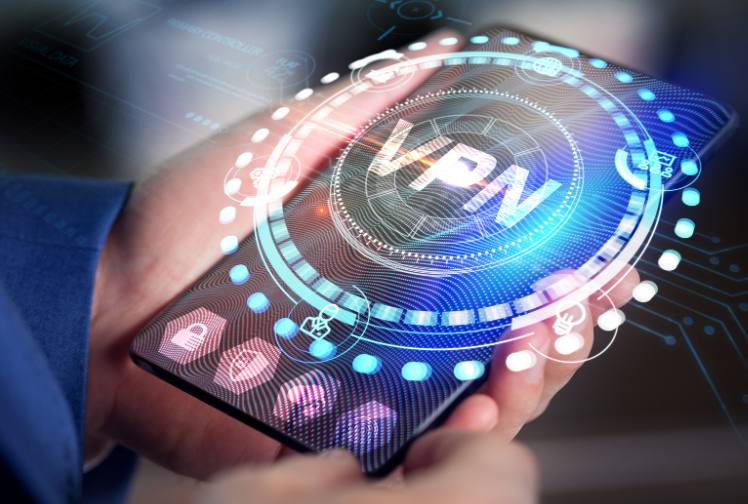
Having a VPN app on your mobile phone provides several important benefits that can protect your privacy, security, and access to content online. Here are the top reasons why a mobile VPN app is essential in the modern digital world. 

Enhanced Privacy and Anonymity

One of the main advantages of using a VPN on your phone is enhanced privacy and anonymity when browsing the internet. Your mobile carrier and any Wi-Fi networks you connect to can monitor your internet activity, collecting data on the websites you visit, your location, and more.

A VPN app encrypts all traffic from your phone and routes it through a remote server run by the VPN provider. This hides your IP address, making it much harder for third parties to track your online activities or tie that data back to you personally. Whether connecting via mobile data or public Wi-Fi, your privacy is protected.

Protection on Public Networks

Public Wi-Fi networks at coffee shops, airports, hotels, and other locations are notoriously insecure. Hackers can easily spy on data transmitted over these networks, putting your passwords, messages, and other sensitive information at risk of interception.

A mobile VPN app secures your connection on public networks and safeguards your data. By encrypting everything behind a VPN tunnel, no one on the network can view or steal your information as you browse, use apps, or make purchases.

Access Restricted Content

Many streaming platforms and websites restrict content based on geographical location. For example, Netflix libraries vary by country, showing different shows and movies depending on where you are located. Sites like Hulu may be completely blocked outside of the U.S.

A VPN app for your phone allows you to bypass these restrictions by spoofing your location. Connect to a VPN server in another country, and sites will think you are accessing the internet from that location, opening up region-locked content.

Avoid Throttling and Blocking

Some internet service providers deliberately throttle or slow down connections being used for streaming, torrenting, and other bandwidth-intensive tasks. Schools, workplaces, and countries also block certain websites and online services.

A mobile VPN masks what you are accessing online from your ISP or network administrator. This allows you to bypass throttling, access blocked content, and fully utilize your internet speeds, no matter the network.

Secure Public Wi-Fi Access

While it’s convenient to connect to public Wi-Fi networks when you are out and about, it also poses risks. Public hotspots rarely have robust security in place, making it easy for hackers to intercept transmitted data.

A mobile VPN app secures your connection over public Wi-Fi and safeguards against “man-in-the-middle” attacks. It also prevents the Wi-Fi network owner from logging and tracking your activity while connected.

Safe P2P Sharing & Torrenting

Downloading torrents or accessing peer-to-peer networks on public connections can be very risky without a VPN. Your IP address and downloading activity can be logged, putting you at risk of legal consequences.

A mobile VPN app allows you to torrent and use P2P networks more safely. By hiding your IP and encrypting your traffic, you can avoid legal notices or having your internet service cut off in response to complaints of copyright infringement.

You can get a trusted VPN for iPhone, Android, or other mobile device and using it is critical to protecting your online privacy and security in today’s connected world. Mobile VPNs encrypt your traffic, provide anonymity, unlock restricted content, and secure your Wi-Fi connections, delivering essential privacy benefits.


I Got 88% Off at Surfshark With Code OFFCN
Differences Between Proxies and VPNs: What You Need to Know

Sign Up For Daily Newsletter

Be keep up! Get the latest breaking news delivered straight to your inbox.
[mc4wp_form]
By signing up, you agree to our Terms of Use and acknowledge the data practices in our Privacy Policy. You may unsubscribe at any time.
Share This Article
Facebook Copy Link Print
Share
ByLiron Segev (Tech Geek)
Follow:
Liron Segev, also known as TheTechieGuy, is a tech expert who believes that technology should be simple and accessible to everyone. With a knack for breaking down complex topics into easy-to-understand terms, Liron has become a trusted source of information for tech enthusiasts and novices alike. Allowing readers to learn about topics like security issues (such as hacking, passwords, and scams), connectivity (including wifi, routers, mesh networks), and helpful tips and tricks for optimizing technology and achieving faster internet speeds.
Previous Article iOS 17.4 Released: EU Users Can Now Access Third-Party App Stores and More iOS 17.4 Released: EU Users Can Now Access Third-Party App Stores and More
Next Article The Engine of Engagement: Tech Innovations Fueling Mobile App Trends The Engine of Engagement: Tech Innovations Fueling Mobile App Trends

Latest News

samsung-galaxy-z-fold8-ultra
Samsung Z Fold8 Ultra Reportedly Jumps to 5,000mAh Battery — No Extra Weight
News Samsung
alphabet-80-billion-raise
Alphabet Raised $80 Billion in One Move. Berkshire Was Part of It.
Google News
crypto-casinos
Crypto Casinos Pulled In $81 Billion Last Year, and That’s Five Times What They Made in 2022
Business Entertainment
How AI Room Redesign Apps Turn a Phone Photo Into a Photorealistic Makeover
How AI Room Redesign Apps Turn a Phone Photo Into a Photorealistic Makeover in Under 10 Seconds
Artificial Intelligence
The Truth About Megapixels
The Truth About Megapixels: Why a Higher Number Does Not Mean a Better Camera
Camera & Photo Innovation
WHEN ADS STOP WORKING
Brand Recall From Digital Ad Screens Stops Climbing Around the 8th Exposure — Here’s What the Habituation Data Actually Shows
Digital Marketing
Your Phone's Touch Latency Might Be Costing You Bets You Thought You Placed in Time
Your Phone’s Touch Latency Might Be Costing You Bets You Thought You Placed in Time
Phone Review
Comparing AI Strategies in Betting Platforms
Esports Betting Platforms Now Run on AI — From Odds to Support Tickets to Fraud Detection
Data Science

About us

Mobilemall.co blog is an informative and engaging platform that offers readers the latest news and insights on mobile phones and accessories. The blog covers a wide range of topics, including product reviews, industry trends, and tips on how to get the most out of your mobile device.

Contact Us:
[email protected]

Categories Link

  • Business
  • Mobile
  • Technology
  • Gaming
  • Phone Review
  • Android

Must Read

s27-pro-camera
Samsung Galaxy S27 Pro camera leak
Phone Leak Samsung
Why Your TikTok Videos Are Not Getting Views (And How to Fix It)
Social Media

Quick Links

  • Privacy Policy
  • Tech Write For Us
  • Contact Us
  • Facebook
  • Instagram
  • YouTube
  • LinkedIn
2026 © Mobilemall. All Rights Reserved.
Go to mobile version
Welcome Back!

Sign in to your account

Username or Email Address
Password

Lost your password?

Not a member? Sign Up







