Claude updated its UX/UI view on October 22, 2025. As a result, code execution and file creation are now available to all paid plan users (Pro, Max, Team, and Enterprise) on the web, Claude Desktop, and Claude Mobile.
Code execution and file creation” is turned on by default
You need to disable it by turning of “Claude can execute code and create and edit docs, spreadsheets, presentations, PDFs, and data reports.”.
The Simple Solution
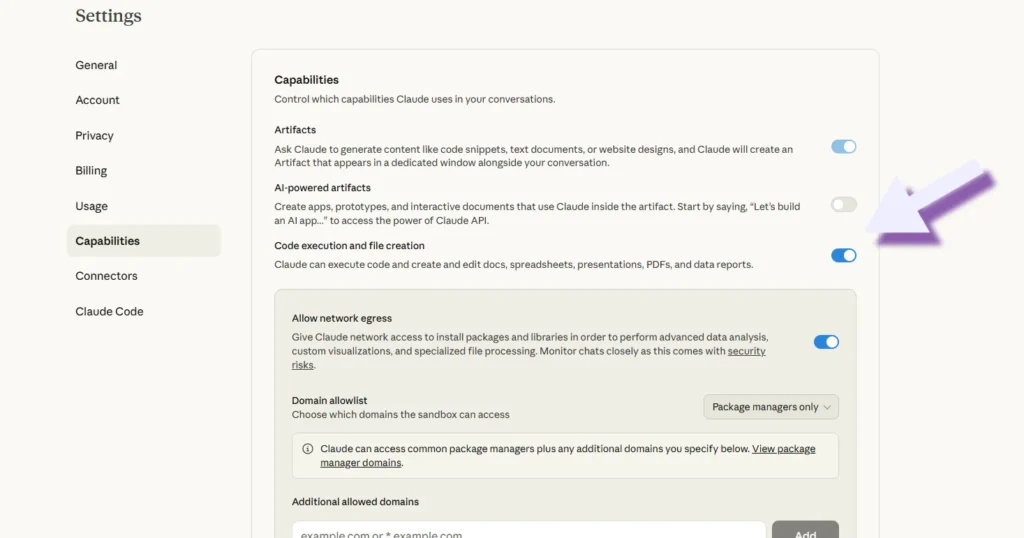
Turn it off. That’s it.
On Web:
- Go to https://claude.ai/settings/capabilities
- Find “Code execution and file creation”
- Toggle it off
- Keep artifacts on
On iOS or Android:
- Tap your initials or name in the left sidebar
- Select “Settings”
- Choose “Capabilities”
- Toggle “Code execution and file creation” off
Your workflow goes back to normal—real-time artifact generation, the ability to stop mid-process, and the better paste file view.
This update has been frustrating, now you would have preview like:
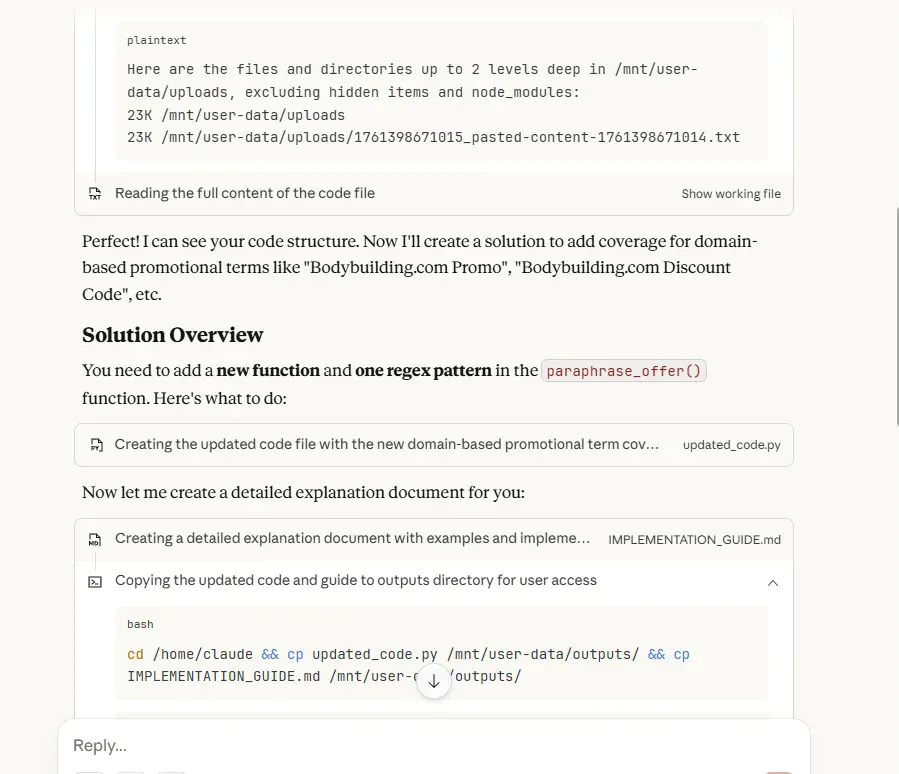
The update automatically enabled code execution for all paid users (Pro, Max, Team, and Enterprise) across web, desktop, and mobile.
Previously, artifacts would pop up and generate text in real-time, allowing me to stop them if they were going in an unwanted direction.
After the fix/default view would be

I think a week-long notification would be a good idea. A feedback prompt asking if users wanted to keep the new default. A clear “switch back” button. Anything that acknowledged this was a major UX change affecting everyone’s daily workflow.
New features are great. Forcing them on everyone without warning isn’t.