MobileMall BlogMobileMall BlogMobileMall Blog
  • #Explore
  • Business
  • Technology
    • Gaming
    • Headphones
    • Laptops
    • Mobile Accessories
    • Home Networking
    • PCs
    • Printers
    • Smart Watches
    • Speakers
    • Tablets
    • Wearables
    • Smart Office
  • Security
  • Buying Guides
  • Contribute
Reading: Google Chat Is Getting Brighter HDR Emoji
Share
Font ResizerAa
MobileMall BlogMobileMall Blog
Font ResizerAa
  • #Explore
  • Business
  • Technology
  • Security
  • Buying Guides
  • Contribute
  • #Explore
  • Business
  • Technology
    • Gaming
    • Headphones
    • Laptops
    • Mobile Accessories
    • Home Networking
    • PCs
    • Printers
    • Smart Watches
    • Speakers
    • Tablets
    • Wearables
    • Smart Office
  • Security
  • Buying Guides
  • Contribute
2025 © Mobilemall. All Rights Reserved.
Home » Blog » Google Chat Is Getting Brighter HDR Emoji
AppsGoogle

Google Chat Is Getting Brighter HDR Emoji

Peter Brandt (Google Guy)
Last updated: October 10, 2026 9:02 am
Peter Brandt (Google Guy)
Share
Google Chat emoji
SHARE

Contents

  1. What the feature does
  2. Why it turned up in Gmail
  3. Where it fits
Add MobileMall Blog as a preferred source on Google

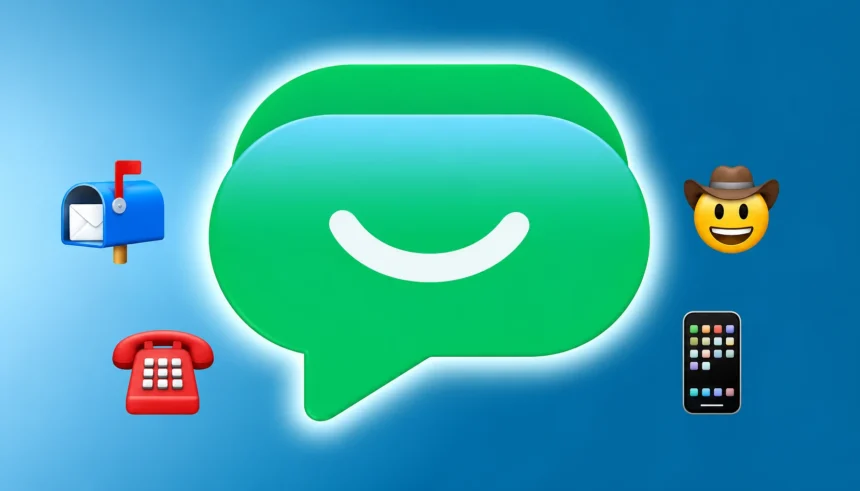
Google Chat, the Workspace messaging app that replaced Hangouts, looks set to get emoji that render in HDR. The clue sits in the newest Gmail Android build, where an APK teardown turned up a code string describing emoji displayed “in high dynamic range (HDR) with enhanced brightness and contrast.”

What the feature does

The code calls it HDR emoji, nothing fancier. On a screen that supports HDR, emoji would show with more brightness and stronger contrast than standard ones, which in practice means they’d pop against the chat background the way an HDR photo does next to a normal one. The string talks about “supported emoji” rather than naming custom ones specifically, so this could cover the whole emoji set on a compatible phone, not only the custom emoji Workspace admins upload.

Why it turned up in Gmail

Chat lives inside the Gmail app on Android, so any work on Chat features tends to show in Gmail’s code first. That’s also why the find came from a Gmail teardown rather than a Chat one.

Where it fits
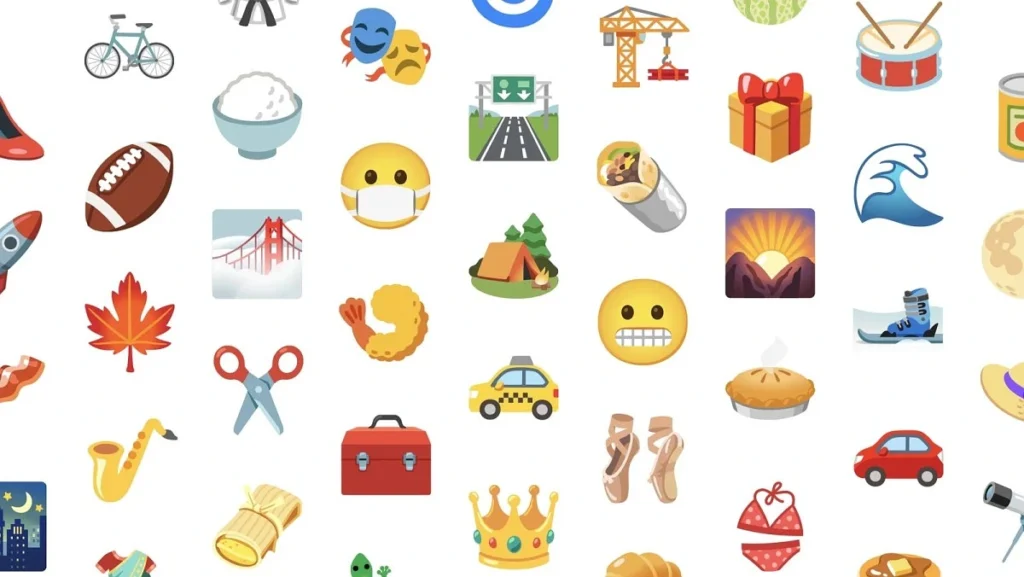
Google Chat HDR emoji

Google has been working HDR into its messaging apps for a while. The Messages app had Ultra HDR image support in 2023, lost it in a 2025 redesign, and code to bring it back properly has been spotted in this year’s beta builds. Emoji getting the same treatment in Chat is the obvious next step once the display pipeline is already there.

When it arrives is anyone’s guess. Google hasn’t announced HDR emoji for Chat, and teardown code sometimes never ships. But a named feature with a user-facing description usually means it’s close to testing rather than an idea on a whiteboard.

Tensor G6 Leak Points to New CPU Cores, but the GPU Situation Is Complicated
Why Mobile Proxies Matter for Geolocation-Based Mobile App Testing
Pixel 11 Pro Fold’s Pine color leaks a month before launch
Nano Banana 2 lands in Google Earth, with more fine print than Google’s post admits
Google Launches Gemini 3.5 Flash and Gemini Omni at I/O 2025

Sign Up For Daily Newsletter

Be keep up! Get the latest breaking news delivered straight to your inbox.
[mc4wp_form]
By signing up, you agree to our Terms of Use and acknowledge the data practices in our Privacy Policy. You may unsubscribe at any time.
Share This Article
Facebook Copy Link Print
Share
ByPeter Brandt (Google Guy)
Follow:
Peter Brandt - Group Product Manager - Pixel ML Software. With years of experience in the tech industry, Peter has established himself as a top-notch writer with a passion for all things Google. Peter's articles are packed with valuable information and actionable advice, helping readers stay ahead of the curve in this ever-changing digital landscape.
Previous Article OnePlus 16 Screen OnePlus 16 Screen Goes Up To 185Hz, But Only In Games
Leave a Comment

Leave a Reply Cancel reply

Your email address will not be published. Required fields are marked *

Latest News

OnePlus 16 Screen
OnePlus 16 Screen Goes Up To 185Hz, But Only In Games
Phone Launch
Oppo Reno X
Oppo’s Wide Phone Will Be 85mm Across With A 16:9 Screen
Phone Leak
A 2013-era smartphone labelled Assembled in Kathmandu beside the flag of Nepal on a crimson backdrop
Do You Know Nepal Was Assembling Its Own Smartphones In 2013, Before India Had A Plant Of Its Own
Smartphone
ChatGPT enhance photo
What ChatGPT Actually Runs When You Ask It To Enhance A Photo (It Is text2im, Not A Filter)
Artificial Intelligence Camera & Photo
Google SynthID Detector
Google’s AI Checker Now Open To Everyone
Artificial Intelligence Google
RedMagic 12 Pro Plus
RedMagic 12 Pro+ Shows Its Full Design A Week Before Launch
Gaming Devices Phone Launch
How Hiring Roto Rooter Plumbers Ensures Efficient Drain Cleaning
Tech Lifestyle
Apple Announces iPhone Duo Apps
Apple Wants Your Apps Ready Before The iPhone Duo Arrives
Apple Apps

You Might also Like

the power button menu in Android 11
AndroidGoogle

Google is expanding the power button menu in Android 11

Peter Brandt (Google Guy)
2 Min Read
WhatsApp Updates
Apps

WhatsApp Is Testing A Chat You Can Only Open On Your Phone

Mobilemall Staff
Mobilemall Staff
3 Min Read
Google Yearly Developers Conference
GoogleNews

Google I/O: Annual Developers Conference to be held on May 10 at Shoreline Amphitheatre

Adam Lyttle (Developer)
1 Min Read

About us

Mobilemall.co blog is an informative and engaging platform that offers readers the latest news and insights on mobile phones and accessories. The blog covers a wide range of topics, including product reviews, industry trends, and tips on how to get the most out of your mobile device.

Contact Us:
[email protected]

Categories Link

  • Business
  • Mobile
  • Technology
  • Gaming
  • Phone Review
  • Android

Must Read

What the Enhance Button Does in Photo Editing Apps
What the Enhance Button Does in Photo Editing Apps (Tier 1 to Tier 4 Explained)
Camera & Photo
WhatsApp login blocked
WhatsApp Won’t Let You Log In Until You Update Your Phone
Apps Cyber Security

Quick Links

  • Privacy Policy
  • Tech Write For Us
  • Contact Us
  • Facebook
  • Instagram
  • YouTube
  • LinkedIn
2026 © Mobilemall. All Rights Reserved.
Go to mobile version
Welcome Back!

Sign in to your account

Username or Email Address
Password

Lost your password?

Not a member? Sign Up