The workplace, school, Internet Service Provider (ISP), or even your country could be restricting your Internet access to specific content. They could be preventing you from accessing a site for various good and not-so-good reasons. Either, so you focus on your job at hand and avoid social media, or to censor information which you might not know about.
But websites can also be restricted from the end-service (the web server itself). This is the case for services such as Youtube, Netflix, and Amazon Prime, where they specifically block and allow portions of their content according to geography. That’s why you can’t see US-based Netflix libraries if you are traveling abroad.
Still, there are ways to bypass these limitations, and access restricted websites and content on your computer or mobile. In this post, we’ll go through three easy steps on how to unblock any website or Internet service.
- First, Why Are These Sites Being Blocked?
There are three main reasons to block websites, first to limit network usage in schools and workplaces for productivity reasons, second to censor information, or third to geo-restrict content due to licensing, or commercial reasons.
- School and Work Network limitations.
This type of control is performed at a local area network boundary. That means, the firewall (or proxy) between you and the Internet is blocking traffic going towards an Internet destination (ie., website, service, or app). Employers or the IT team would block the sites that they think are not suitable for the Internet user of the internal network.
Certain sites are blocked from schools or workplaces to keep up productivity, to avoid distraction sites, or even prevent users from accessing unsafe sites. There is a positive and negative side of this. For example, blocking “adult sites” in a school or workplace might be a good idea, but blocking social media entirely could leave employees or students outside valuable information or collaboration.
- Censorships.
Another reason why sites are being blocked could be due to censorship. According to Oxford: “Censorship is the suppression or prohibition of any parts of books, films, news, etc. that are considered obscene, politically unacceptable or a threat to security.” For instance, some governments would censor certain parts of the Internet, traffic coming from certain countries, or websites that go against their political point of view or religious beliefs. They would limit certain flows of information or even completely restrict websites.
Again, there are two sides to the coin, the positive and negative. Blocking portions of the dark web that contain dangerous or terrorist ideas, makes sense. But censoring Wikipedia, TikTok, Reddit, Twitter, or CNN does not.
- Geo Restricted Content.
The third reason why certain content is blocked is due to commercial, marketing, or licensing reasons. This type of web restriction usually comes from the end-service itself, and not a local firewall. For instance, although your work, school, or ISP would allow you to see subscription-based services like Netflix— Netflix is tailoring its content via Content Delivery Networks (CDN) to restrict specific content to specific traffic. Also, some free services such as MTV, ABC, or CNNGo are only allowed in the US, and can’t be accessed from outside.
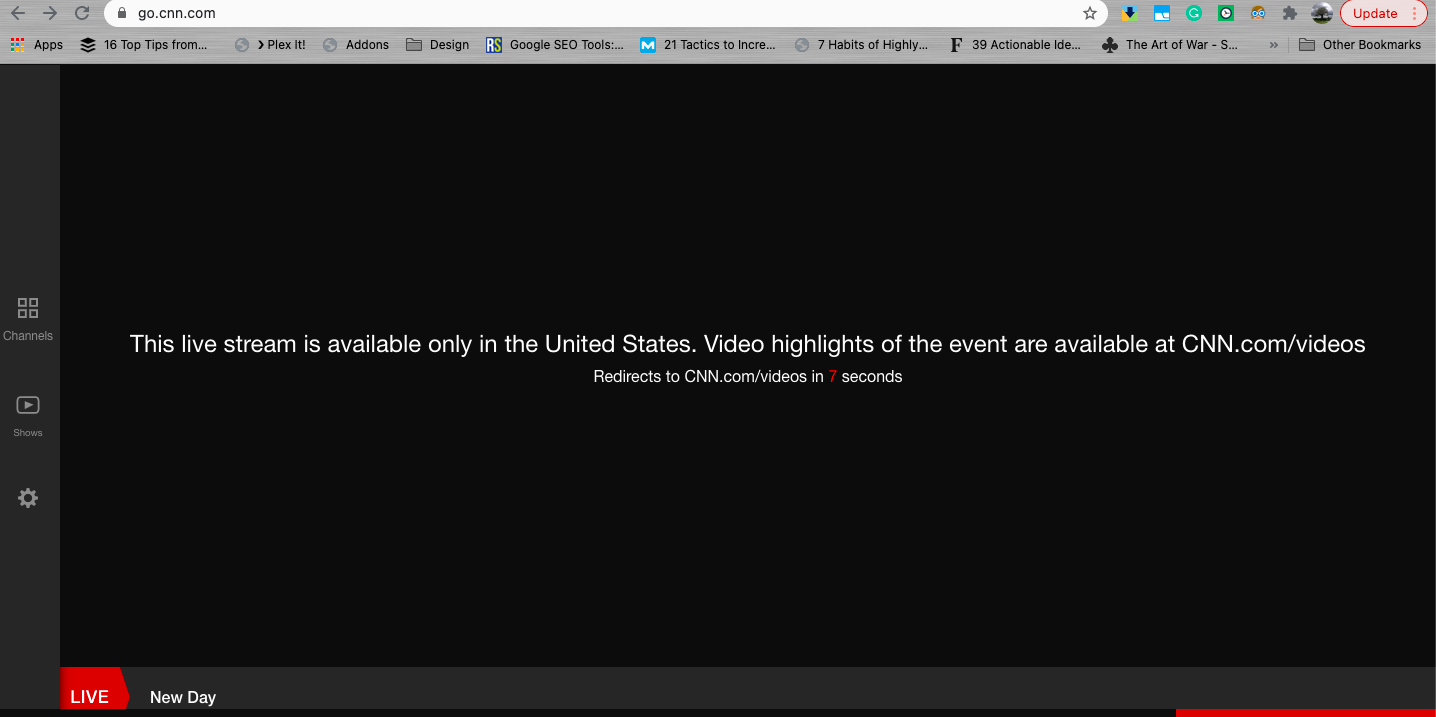
The main reason these services block content is due to copyright laws which differ from country to county. For example, the US does not get the same laws as India or Brazil, so their content is geo-tailored for those specific audiences.
So how to bypass these limitations and unblock any website?
Fortunately there are some techniques you can use to unblock any website.
How to Unblock a Website?
In this section, we’ll show you three popular ways to unblock and see the contents of a website or web service. All of the following will allow you to avoid network restrictions from schools or the workplace, bypass censorship, and unblock geo-restricted content. But the results vary from one method to the other.
- Unblocking a Website With a Proxy.
A proxy is the most popular method for unblocking websites. Proxies are easy to use, cheap, reliable, and fast. They are simply intermediaries between your computer (source) and destination (Netflix, or TikTok). To bypass local restrictions or censorships, a proxy helps bypass firewalls because firewall rules don’t know about the proxy, so they allow such traffic. For example, SOCKS5 proxies are used to allow easier administration of firewalls by not having to create special rules or allow anyone access to them. SOCKS5 can help bypass firewalls.
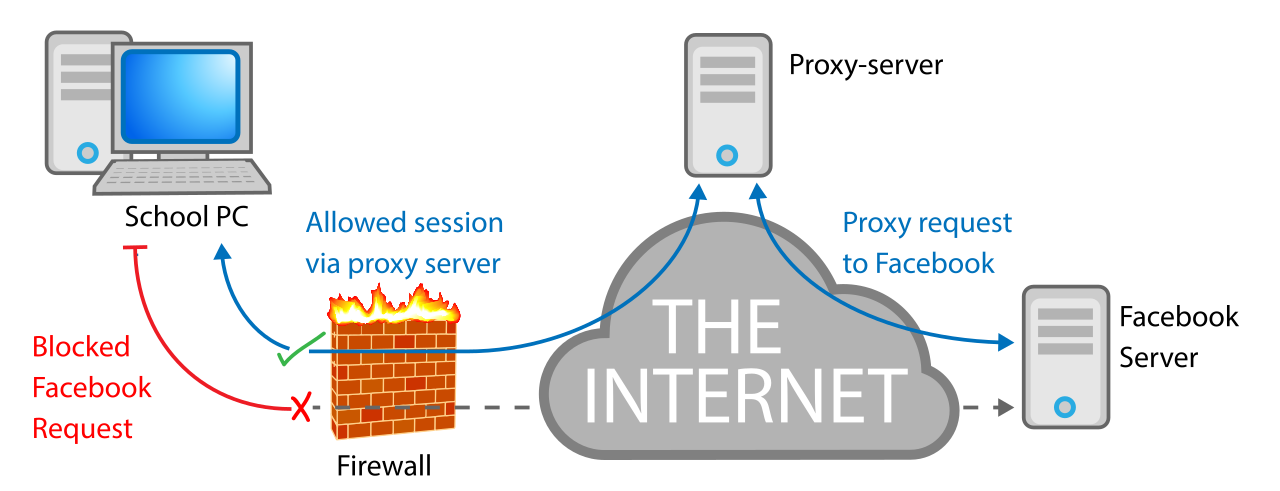
To bypass geo-restricted content from the end-service, a Proxy (in another country) routes your request and uses its IP address as a source, so the destination recognizes the proxy as the source, and not you.
To unblock a website with a proxy:
- Go to an IPv6 proxy provider. A proxy provider has a proxy somewhere on the Internet, which you can use to forward your Internet traffic. Enter the Internet and leave through the same server (or set rotating proxies to keep it random).
- Set proxy settings: You don’t have to install anything while using a proxy, just point your browser (or any application) to the proxy server. All you need is a proxy IP address (and sometimes authentication in case of SOCKS5).
- For an Android’s Mobile, go to Settings > Network & Internet > Mobile Network > APN > Proxy.
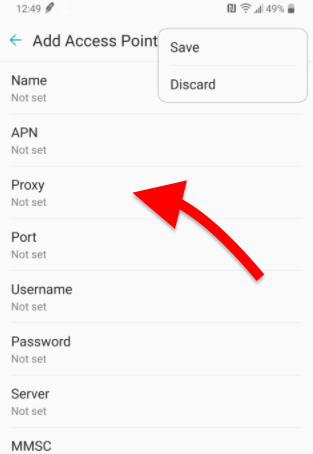
The proxy settings within APN settings will be used by HTTP clients in the mobile, such as Safari. When loading a page, the browser will first go through the HTTP proxy settings to determine if the HTTP request should go directly to the server or through a proxy.
Bear in mind that some mobile APN’s configuration can’t be changed (or might not accept your configuration). APN configuration is automatically received and set from the core mobile network.
- To change configuration for only WiFi connections.
Additionally, you can also configure your mobile to unblock sites only using the WiFi connection, without affecting the APN’s configuration.
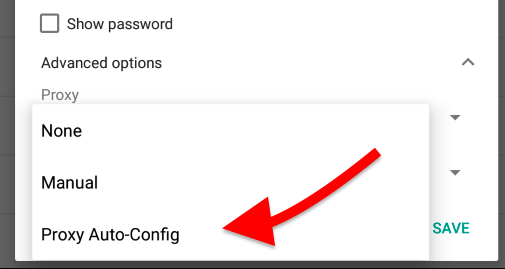
Go to Settings > WiFi Networks > Long Tap on the WiFi name > Modify Network > Advanced Options > Proxy Settings.
- Unblock a Website with a VPN.
VPNs are another popular method to unblock restricted websites. Virtual Private Networks (VPN) are highly secure, effective, and convenient. A VPN is a network created between you (client VPN) and destination (the VPN server) via an encrypted tunnel.
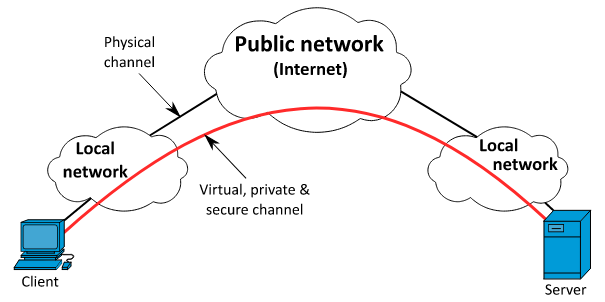
To bypass local restrictions, a VPN encrypts traffic (which is unreadable by any middle-man) and also uses the VPN Server’s IP as an Internet exit. The firewalls don’t usually know about the VPN IP, so they would allow traffic. To bypass geo-restricted content, a VPN server (in another country), would use its IP address as an Internet exit, so the destination service (Netflix, ABC, Youtube, etc) recognizes the VPN server as the true source of traffic.
VPNs are usually more secured because they encrypt traffic but can be slower than proxies.
To unblock websites with a VPN:
- Download and Install the VPN client. For example you can use VPN protocols like OpenVPN in your client to connect to your OpenVPN server.
- Use credentials to establish communication to your VPN Server.
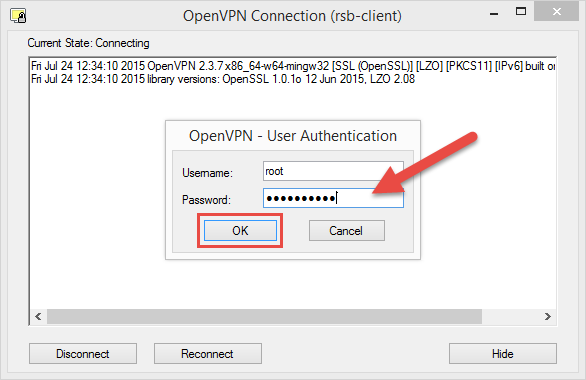
- Once connected to your VPN server, you’ll be able to unblock any restricted website.
- Additionally, wherever your VPN server is located, you’ll be able to access that particular geo-tailored content.
- Unblock Websites Using TOR.
The third, most popular method to access restricted websites is using TOR (The Onion Router). TOR is a free and open-source project maintained by volunteers. It enables anonymous communications by directing your web browser traffic through a free, worldwide overlay network of thousands of relays (volunteers) spread across the world.
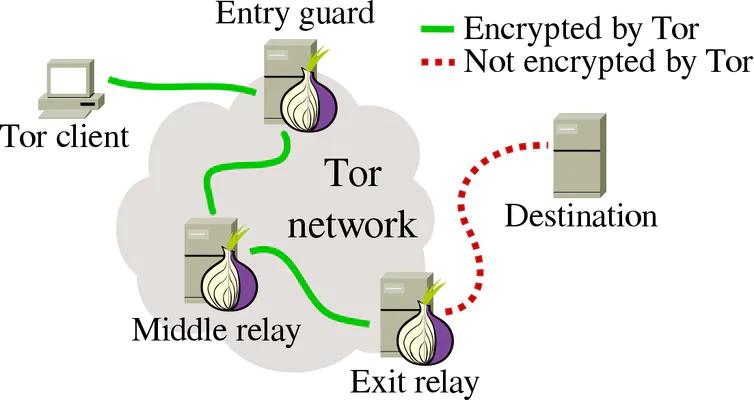
To bypass local restrictions, TOR routes your traffic through (at least three different relays) before sending it to the destination. Additionally, TOR is also encrypting the traffic through these relays, so nobody can intercept and read your traffic.
TOR is a fantastic mechanism to bypass local restrictions and censorship because the “Exit Relay” is unknown by the local firewall. Still, TOR is not recommended for unblocking streaming or high-bandwidth services, as it is usually very slow.
To unblock a website with TOR?
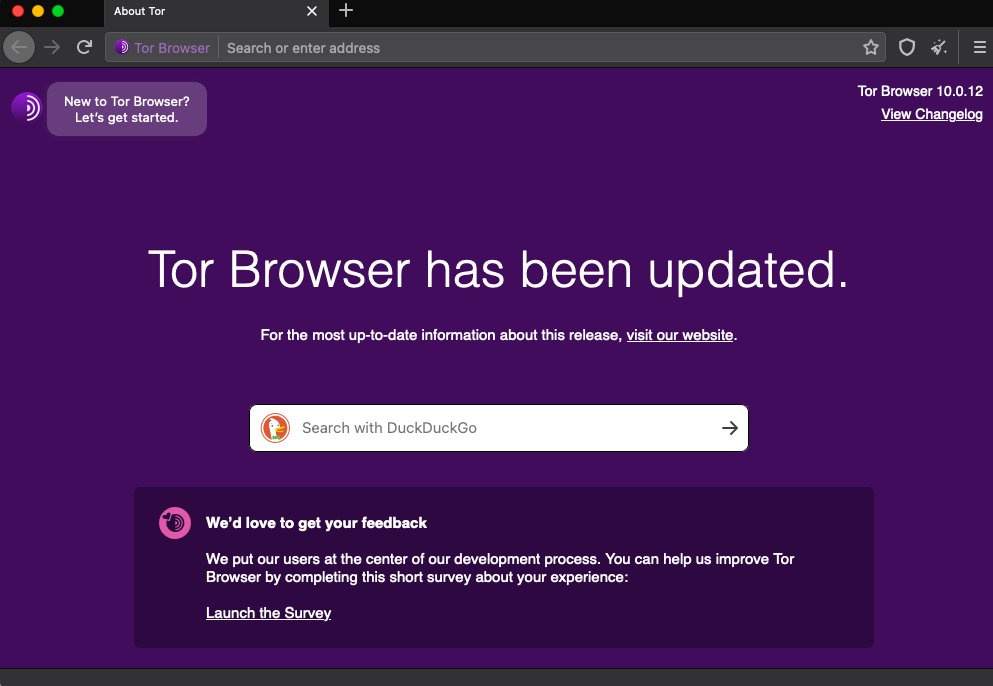
- Download TOR. Go to tor project and download the free and open-source project.
- TOR is used via its TOR browser. Install it and browse as you would in any other traditional browser.
Final Words.
Any of the methods above will help you unblock a website. Still, all of them provide different results, for example, proxies can bypass most restrictions and are fast for unblocking streaming and services that require high bandwidth. VPNs can also bypass website blocks and are more secure, but they are slower than proxies, due to their encryption overhead. Third, TOR is highly anonymous and can bypass any restriction and censorship, but it is the slowest of the three methods.