MobileMall BlogMobileMall BlogMobileMall Blog
  • #Explore
  • Business
  • Technology
    • Gaming
    • Headphones
    • Laptops
    • Mobile Accessories
    • Home Networking
    • PCs
    • Printers
    • Smart Watches
    • Speakers
    • Tablets
    • Wearables
    • Smart Office
  • Security
  • Buying Guides
  • Contribute
Reading: What Is KYC And How To Get Your KYC Verified?
Share
Font ResizerAa
MobileMall BlogMobileMall Blog
Font ResizerAa
  • #Explore
  • Business
  • Technology
  • Security
  • Buying Guides
  • Contribute
  • #Explore
  • Business
  • Technology
    • Gaming
    • Headphones
    • Laptops
    • Mobile Accessories
    • Home Networking
    • PCs
    • Printers
    • Smart Watches
    • Speakers
    • Tablets
    • Wearables
    • Smart Office
  • Security
  • Buying Guides
  • Contribute
2025 © Mobilemall. All Rights Reserved.
Home » Blog » What Is KYC And How To Get Your KYC Verified?
Business

What Is KYC And How To Get Your KYC Verified?

Mobilemall Staff
Last updated: October 23, 2024 10:34 am
Mobilemall Staff
Share
What Is KYC And How To Get Your KYC Verified
SHARE

Contents

  1. What is KYC?
  2. Why is KYC Verification Important?
  3. How to Get Your KYC Verified
    1. 1. Choose a Service Provider
    2. 2. Complete the Application Form
    3. 3. Provide Identity Proof
    4. 4. Address Proof
    5. 5. Face Verification
    6. 6. Submit the Documents
    7. 7. Wait for Verification
    8. 8. Confirmation
  4. Conclusion
Add MobileMall Blog as a preferred source on Google

If you’re in the financial world, you know about many fraudulent activities. Do we talk about the bank or even small brands just coming up? But thanks to technology, viable solutions are coming into play, and one of them is KYC and its verification. But what is KYC, and how do you get your KYC verified?

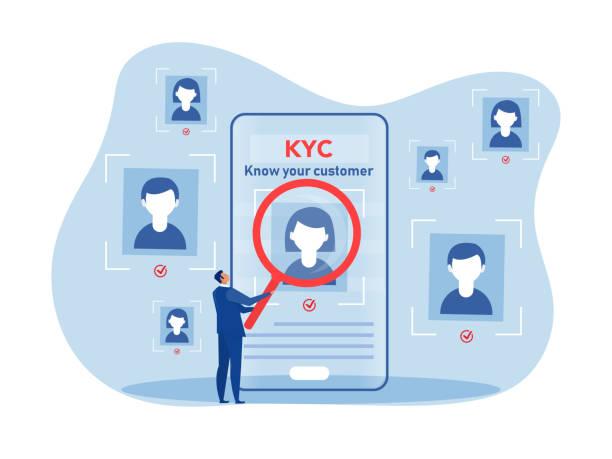
KYC is short for Know Your Customer and aims to keep a safe workplace or business. It ensures everyone involved is who they claim to be without mischief. Thus, laundering, fraud, and other shady activities are reduced.

Here, we’ll discuss everything you need to know about KYC. Read on!

What is KYC?

What is KYC

KYC is the acronym for Know Your Customer. It’s an important process in the digital world. Businesses and customers need this between them to ensure the customer is who they say they are. It doesn’t matter if you, as the customer, contact them online or in person. As long as they can recognize you, it’s all good. 

In today’s world, where fraud and money laundering are the norm, KYC promotes trust. So, when next you hear KYC, know it’s just a way for companies to know you better.

Why is KYC Verification Important?

The importance of KYC verification is explained in simple terms below. It is a safety net for you and the companies you work with. When they check your identification, they ensure you are you, not someone else. By doing this, fraud, money laundering, and other criminal actions can be avoided.

Security is not the only concern, though. KYC verification further guarantees that everything is honest and legitimate. It helps companies gauge your level of risk so they can offer you the right services while safeguarding themselves. Also, it is required of businesses because it is the law in many places.

Therefore, by undergoing KYC verification, you’re not just clearing administrative hurdles but also helping to create a more stable and fair financial climate for all of us. A win-win scenario exists!

How to Get Your KYC Verified

How to Get Your KYC Verified

1. Choose a Service Provider

The first step you must take before trying to verify your KYC is to choose a service provider. How you’d choose your favorite coffee shop when craving coffee should be the same way you should choose a service provider. Research online and choose the one that best suits you. Once you’ve chosen one, the rest of your KYC process will be smooth!

2. Complete the Application Form

Your preferred service provider has so much work to do, and it starts with them giving you a form to complete. You know, when you want to place an order online, you must fill in some information; it’s the same case here, too. The form will ask you to fill in your usual info, including your name, DOB, and even where you live.

3. Provide Identity Proof

Providing identity proof is next on our list of how to get your KYC verified. Nowhere on the Internet will you feel you want to go through some process without providing proof of identity? You’ll surely provide proof of identity, even if it’s your BVN!

So, if there’s an issue later on, your virtual ID card can stand in for you, proving that you’re real. In the real sense, it reduces so much stress on you and the business’s end!

4. Address Proof

Another vital step when verifying KYC is the address proof. So many scammers exist in the digital space, and they’re ready to wipe businesses off their hard work. One way to prevent this is to ask customers to provide their address details.

When you provide your address details, businesses are sure you’re real. So ensure you don’t skip this step during your KYC verification process.

5. Face Verification

Not every service provider asks for face verification. But if your service provider asks, it’s important not to skip this step, as it’s even more secure. The process goes thus: They ask you to take a quick photo of yourself and then match your face to the picture on your ID. 

Can you imagine the technology that goes into that? That makes it much more secure than the previous steps we discussed. If you’ve submitted another person’s ID, you’ll undoubtedly get caught in this stage!

6. Submit the Documents

The next step to get your KYC verified is to submit the documents. Submitting the documents and sending them to your service provider after completing the application form is normal. We’re fortunate in our age because we don’t have to go down to their office. We can do everything online!

7. Wait for Verification

Immediately after submitting all your paperwork, the service provider swings into action. Note that service providers aren’t biased when reviewing your application. The only thing that’s likely to vary is how long this takes. It could be as quick as a few days if they’re not swamped with requests, but it might stretch into a few weeks if they’re super busy. 

8. Confirmation

You’ll receive a friendly confirmation once your KYC gets the green light. You’re all set to use the services you signed up for!

Conclusion

If companies want to maintain the integrity of their financial transactions and prevent illegal activities., they must implement KYC. Following the steps in this post, you can quickly get your KYC verified and access the needed services.

Redmi Note 8 and Note 8 Pro Hit 30 Million Sales Milestone Worldwide
Luxembourg Company Formation: For Entrepreneurs and Tech Innovators
8 Proven Ways to Earn Bitcoin in the market
Redmi 10X rakes in the cash in just 5 minutes during its first major sale
Tech Debt or Asset? The Real Cost of Buying vs. Leasing Your Business Mobiles

Sign Up For Daily Newsletter

Be keep up! Get the latest breaking news delivered straight to your inbox.
[mc4wp_form]
By signing up, you agree to our Terms of Use and acknowledge the data practices in our Privacy Policy. You may unsubscribe at any time.
Share This Article
Facebook Copy Link Print
Share
ByMobilemall Staff
Follow:
From the latest smartphone releases to in-depth analyses of the hottest gadgets and latest technology trends, our, Mobilemall team is dedicated to delivering timely, accurate, and engaging news and reviews to our readers. At Mobilemall, we pride ourselves on delivering the most up-to-date and relevant tech news and reviews to our readers.
Previous Article Understanding Its Inner Workings The Anatomy of a Slot Machine: Understanding Its Inner Workings
Next Article PSNUSER_ How to Get Free PSN Codes and Gift Cards PSNUSER: How to Get Free PSN Codes and Gift Cards

Latest News

A20 Pro chip
iPhone 18 Pro chip leak points to much faster graphics
Apple Phone Leak
Tecno bezel-less concept phone
Tecno’s Concept Phone Has No Black Border Around The Screen
News Smartphone
Infinix HOT 70 Pro 5G launched in India.
Infinix Hot 70 Pro Goes On Sale In India From Rs 22,999
Phone Launch
POVA 8 Pro 5G Tonino Lamborghini Limited Edition
Tecno Pova 8 Pro Tonino Lamborghini Phone Looks Different But Runs The Same Hardware
Phone Launch
The Xiaomi 18 Fold
Xiaomi’s New Folding Phone Is Out On 7 September, And It Runs Xiaomi’s Own Chip
Data Science Phone Launch
Mivi One 5G
Mivi’s First Phone Arrives This Month In India
Phone Launch
Empty racetrack at dusk under editorial cover typography reading replay
Del Mar Horse Racing on Your Phone: Three Apps That Actually Work After the Telegram Links Stopped
Apps
Older Filipina woman squinting at a phone held at arm's length in bright afternoon light
Your Tita Switched to Bingo on Her Phone During Lockdown. The Screen Has Been Giving Her a Headache Ever Since.
Smartphone

You Might also Like

Bing Employee Had an Idea Worth $100 Million
BusinessMicrosoft

A Bing Employee Had an Idea Worth $100 Million – It Sat in a Backlog for Six Months

Mohammad Ahsan
Mohammad Ahsan
9 Min Read
Blue Chip Stocks vs Thematic Investing in India
Business

Blue Chip Stocks vs Thematic Investing: Which is Better

Sagar Bakre
Sagar Bakre
14 Min Read
Core Application Dashboard: How to Optimize Performance of Business Apps
Business

Core Application Dashboard: How to Optimize Performance of Business

Mobilemall Staff
Mobilemall Staff
12 Min Read

About us

Mobilemall.co blog is an informative and engaging platform that offers readers the latest news and insights on mobile phones and accessories. The blog covers a wide range of topics, including product reviews, industry trends, and tips on how to get the most out of your mobile device.

Contact Us:
[email protected]

Categories Link

  • Business
  • Mobile
  • Technology
  • Gaming
  • Phone Review
  • Android

Must Read

Tongits Go
Tongits Go: Everything You Need to Know Before Playing
Gaming
Top Five Resorts with Casinos in the Philippines
Top Five Resorts with Casinos in the Philippines You Need to Know About
Entertainment

Quick Links

  • Privacy Policy
  • Tech Write For Us
  • Contact Us
  • Facebook
  • Instagram
  • YouTube
  • LinkedIn
2026 © Mobilemall. All Rights Reserved.
Go to mobile version
Welcome Back!

Sign in to your account

Username or Email Address
Password

Lost your password?

Not a member? Sign Up