
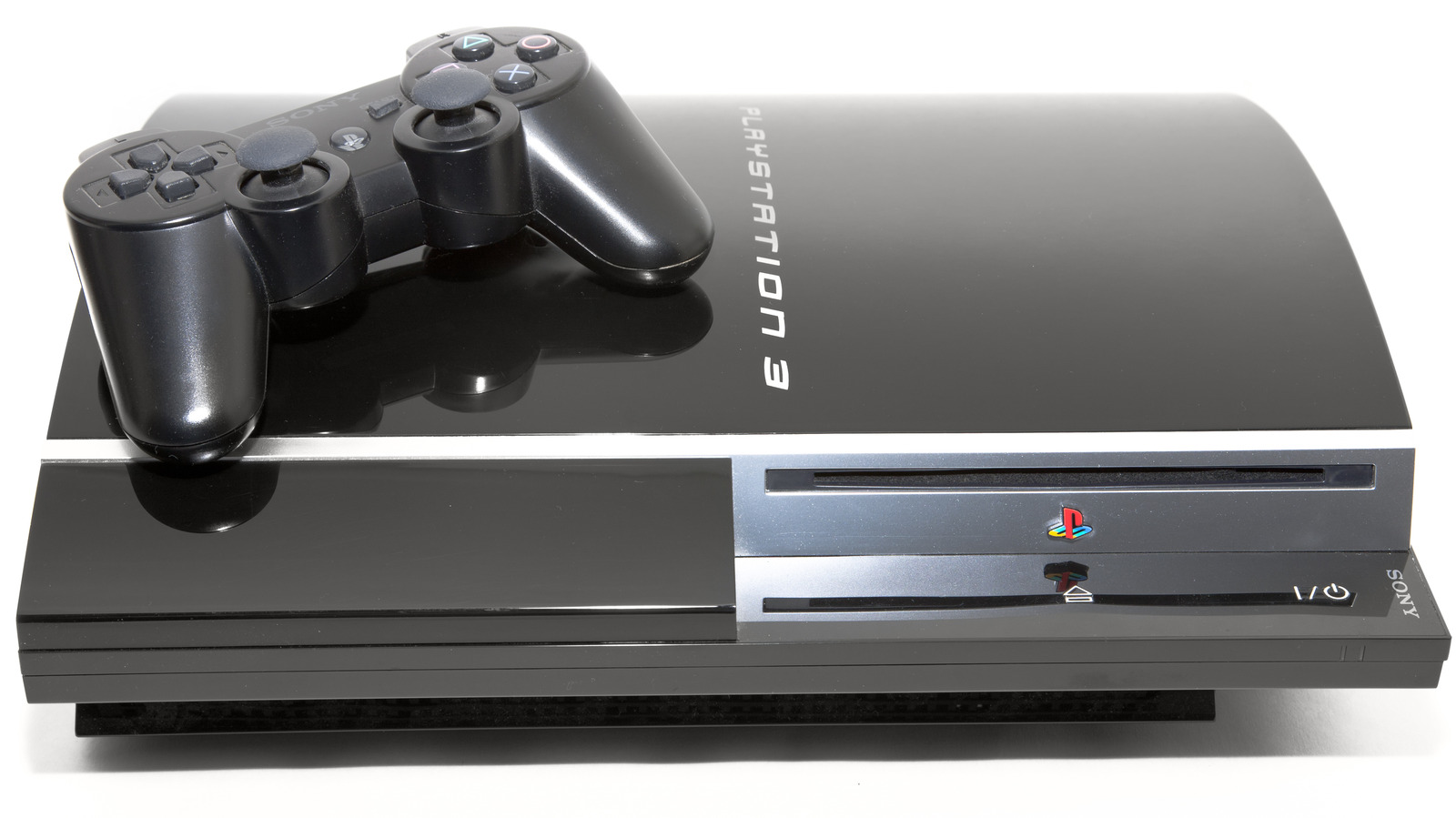
The PlayStation 3 (PS3) made a significant mark in the gaming industry, offering an array of exceptional titles that have captivated millions. While the console’s era has passed, it’s legacy remains. Gamers, both veterans and newcomers, seek methods to experience these classic titles. One such way is through PS3 emulators for PC. We’ve curated a comprehensive list of the top emulators, ensuring that you can relive the PS3 magic without the need for the console.
The Need for PS3 Emulators
While the PS3 console was revolutionary, it also had it’s limitations, especially when it came to portability and flexibility. Emulators emerged as a solution to overcome these limitations. They offer:
- Compatibility with Multiple Systems: Play PS3 games on various devices.
- Enhanced Graphics and Performance: Boost the visual quality beyond the original console capabilities.
- Cost-Effectiveness: No need to invest in old or second-hand consoles.
Top PS3 Emulators to Consider
RPCS3
RPCS3 is a pioneering open-source PlayStation 3 (PS3) emulator and debugger. It’s written in C++ and has been instrumental in bringing PS3 gaming to PCs, allowing players to enjoy a vast collection of this console’s iconic titles on a wide range of computer systems.
Origin and Development
The initial release of RPCS3 was in 2012. Since then, it has undergone significant improvements thanks to dedicated developers and contributions from the open-source community. These combined efforts have enabled RPCS3 to support thousands of PS3 titles with enhanced graphics, better frame rates and increased resolutions compared to the original console.
Key Feature
- Open-Source: Being open-source ensures that RPCS3 is transparent and community-driven. Anyone can contribute to it’s development or check it’s code for authenticity.
- Vast Game Compatibility: RPCS3 boasts compatibility with a substantial number of PS3 titles, from popular AAA games to lesser-known gems.
- Enhanced Graphics: RPCS3 allows players to experience games in resolutions far beyond what the original PS3 could offer, sometimes even up to 4K.
- Support for Windows and Linux: It’s cross-platform nature makes RPCS3 versatile and accessible to a broad user base.
- Active Community Support: A vibrant community surrounds RPCS3, providing support, game compatibility lists and forums for users to discuss and troubleshoot any issues.
System Requirements
To ensure an optimal gaming experience with RPCS3, it’s crucial to have a reasonably powerful system. Key requirements include:
- A modern x64 processor
- A GPU that supports Vulkan or OpenGL 4.3 and above
- Minimum 4GB of RAM (8GB or more recommended)
- Microsoft Windows 7/8/10 64-bit or a modern Linux distribution
Pros and Cons of RPCS3
Pros:
- High compatibility with PS3 games.
- Regular updates and active development.
- Support for higher resolutions and graphics enhancements.
Cons:
- Requires a relatively powerful system for some games.
- Some games might still have bugs or not be fully playable.
ESX PS3
ESX PS3 is a closed-source PlayStation 3 (PS3) emulator that caters to Windows PC users. It aims to recreate the PS3 gaming experience on a computer, making it accessible to a wider audience without the need for the original console.
Origin and Development
While ESX PS3 hasn’t been around as long as some other emulators, it has gained attention for it’s performance and compatibility. The developers have worked diligently to ensure that many popular PS3 titles can run efficiently and smoothly on a range of PC systems.
Key Features
- Windows Exclusive: Designed specifically for Windows, ESX PS3 offers an optimized experience for this OS.
- Admirable Game Compatibility: ESX PS3 boasts a commendable list of compatible games, ensuring many fan-favorites can be enjoyed on PC.
- Customizable Settings: The emulator provides various settings to help users optimize performance according to their system’s capabilities.
- User-Friendly Interface: With a straightforward setup and intuitive UI, users can get started with their games with minimal hassle.
System Requirements
For a good gaming experience on ESX PS3, certain system requirements should be met:
- Windows 7 or higher (64-bit)
- 2.5 GHz Intel/AMD Processor or higher with SSE3.
- GPU that supports OpenGL 4.3 or greater.
- Minimum 2GB RAM (4GB or more is recommended).
- PlayStation 3 .pup system software file.
Pros and Cons of ESX PS3
Pros:
- Dedicated to Windows, offering a seamless experience for this platform.
- User-friendly, ideal for those new to emulation.
- Supports a wide range of PS3 games.
Cons:
- Being closed-source, users and the wider community cannot view or contribute to it’s code.
- Might not offer as extensive customization and tweaking options as open-source alternatives.
Specifically designed for Windows, ESX PS3 stands out for it’s impressive speed and efficiency. It harnesses the power of your PC to offer a seamless gaming experience.
- Key Features: Requires minimal system resources and offers near-native graphics.
- Game Compatibility: Expanding steadily, ensuring that major titles are accessible.
Mednafen
Mednafen, an abbreviation for “My Emulator Doesn’t Need A Frickin’ Excellent Name”, stands out as a unique multi-system emulator. Unlike many emulators that focus on a single console, Mednafen supports a variety of classic systems, offering retro gaming aficionados a comprehensive platform to relive multiple iconic gaming eras.
Origin and Development
Mednafen has it’s roots in several other emulation projects, but it has grown over time to incorporate a plethora of systems under one umbrella. As a result of continuous development and updates, it has garnered respect in the emulation community for it’s accuracy and compatibility.
Key Features
- Multi-System Support: Mednafen can emulate a range of systems, including the Atari Lynx, GameBoy, NES, Sega Genesis, PlayStation and more.
- High Accuracy: Mednafen prioritizes accuracy, aiming to reproduce games as faithfully as possible to their original hardware experience.
- Netplay Capabilities: Mednafen includes built-in netplay support, allowing users to enjoy multiplayer games online.
- Command-Line Driven: Unlike many other emulators with GUIs, Mednafen is command-line driven, catering to users who prefer this approach.
- Customizable Video and Audio: Users can tweak settings to optimize video and audio output according to their preferences.
System Requirements
System requirements for Mednafen largely depend on the system being emulated. However, some general requirements include:
- A modern CPU, with exact specifications varying based on the emulated system.
- Graphics card with good 2D capabilities.
- A supported operating system, such as Windows, Linux, or macOS.
Pros and Cons of Mednafen
Pros:
- Comprehensive multi-system support under one emulator.
- Known for it’s high emulation accuracy.
- Built-in netplay for multiplayer experiences.
Cons:
- Lack of a native graphical user interface (GUI) might be challenging for some users.
- The command-line approach can be intimidating for beginners.
A multi-system emulator, Mednafen extends it’s support beyond PS3. It’s renowned for it’s accuracy, making it a favorite among purists.
- Key Features: Multi-system support, detailed documentation and consistent updates.
- Game Compatibility: Comprehensive, with a focus on providing a genuine PS3 experience.
Setting Up Your Emulator: A Quick Guide
Installing and setting up your PS3 emulator is a relatively straightforward process. Here’s a concise guide to get you started:
- Download and Install: Choose your preferred emulator and download it from the official website.
- BIOS Files: Some emulators may require PS3 BIOS files. Ensure you source them legally.
- Configuration: Customize settings based on your system’s capabilities. Higher-end PCs can crank up the graphics for an enhanced experience.
- Load the Game: Obtain your PS3 games legally, load them into the emulator and you’re ready to dive in.
Safety Precautions
We urge users to approach emulation responsibly:
- Legal Considerations: Always source games and BIOS files legally. Respect copyright laws.
- System Safety: Download emulators from official websites to avoid malware and other risks.
- Regular Updates: Ensure your emulator is updated frequently for optimized performance and security.
The Evolution of PS3 Emulators
The desire to recreate the PS3 gaming experience on a PC didn’t emerge overnight. The inception of emulators dates back several years, evolving in sync with the demands of the gaming community. Here’s a glimpse into their transformative journey:
The Early Days
During the initial stages, emulators struggled with providing a consistent and seamless gaming experience. Frequent crashes, distorted graphics and sound glitches were common. However, the dedication of developers and the open-source community led to improvements in stability and performance.
Growth and Refinement
As technology advanced, so did the capabilities of PS3 emulators. Developers harnessed the increased power of PCs, ensuring that games ran smoother and looked better than ever. The community’s feedback played a crucial role in shaping these tools, helping iron out imperfections.
The Present Landscape
Today, PS3 emulators have reached a point where they offer an experience that often surpasses the original console. With an array of options to choose from, users have the liberty to pick an emulator that aligns best with their system’s capabilities and their gaming preferences.
The Future of PS3 Emulation
The trajectory of PS3 emulators is upward and promising. As PCs become even more powerful, we can anticipate:
- Greater Compatibility: Emulators will soon support an even wider array of PS3 titles.
- Enhanced Graphics: Future updates might offer 4K resolution and even more refined visuals.
- VR Integration: Imagine playing PS3 classics in virtual reality! It’s a possibility on the horizon.
Community and Support
One of the significant reasons behind the success of PS3 emulators is the vibrant community that surrounds them. From forums to dedicated Discord channels, enthusiasts from around the world converge to share tips, tricks and solutions to potential issues.
Tips for an Optimal Gaming Experience
To make the most of your PS3 emulator, consider the following:
- System Optimization: Ensure your PC’s drivers are updated. Close unnecessary background applications for smoother gameplay.
- Controller Integration: Many emulators support PS3 controllers, providing an authentic gaming feel.
- Backup: Always back up your saved games. Emulator updates or unexpected crashes might lead to data loss.
FAQs
A PS3 emulator is a software program that mimics the PlayStation 3 gaming console, allowing users to play PS3 games on a computer without the need for the actual console.
PS3 emulators, in themselves, are legal. However, the legality becomes questionable when users download BIOS files or games without owning the original copies. Always ensure that you’re obtaining files legally.
The best emulator largely depends on your system specifications. For high-end PCs, RPCS3 is highly recommended due to it’s vast compatibility. For mid-range systems, ESX PS3 can be an optimal choice. Always check the emulator’s system requirements before installation.
Yes, most emulators support PS3 controller integration, offering an authentic gaming experience. You might need additional software or configurations in some cases.
You should legally own any game you wish to play. This typically means extracting the game from a disc you own. Downloading games from the internet without owning them is illegal and unethical.
Genuine and well-reputed emulators won’t harm your computer. However, always download from official sources to avoid potential malware or other malicious software.
Game performance depends on multiple factors: emulator settings, system specifications and the game’s inherent requirements. Ensure your drivers are updated, optimize emulator settings and consider system upgrades if necessary.
Final Thoughts
Emulation has bridged the gap between console generations, ensuring that iconic PS3 titles remain accessible and enjoyable. As technology continues to advance, so will the capabilities of these remarkable tools. For gaming aficionados and those eager to revisit the classics, PS3 emulators for PC stand as a testament to the timeless allure of video games.
Delve deeper into this realm, explore and relish the vast expanse of gaming that awaits. And as always, game responsibly!