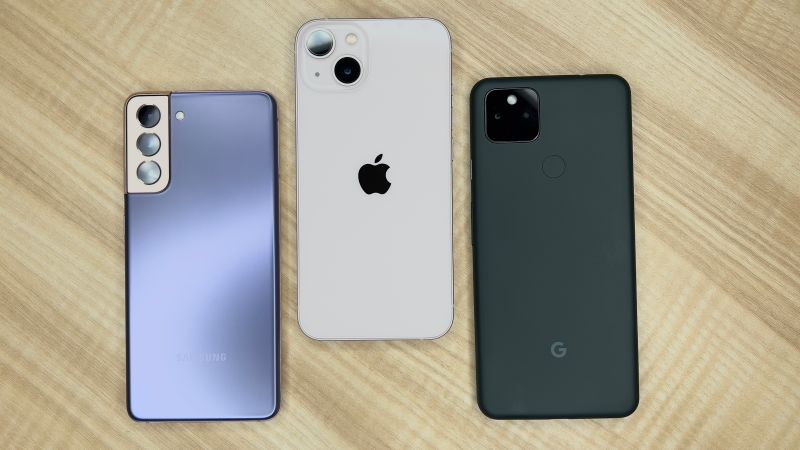
Smartphones have become almost everything to us – the loss of a phone does much more damage than the loss of a simple notebook. We store a lot of our confidential data on our devices, as well as unconsciously cause damage to our gadgets while using them. Today, we will share with you the most helpful tips on how to use your smartphone.
How to Use Your Smartphone Right: Top-10 Tips
The smartphone has long become not only a communication tool, but a schedule planner, a source of entertainment, and a portable computer. Also, you can earn money by your smartphone with the highest payout online casinos. However, to get the maximum out of your gadget, you need to use it properly. Here are some tips we want to share with you today:
- Direct sunlight
Do not leave your smartphone where direct sunlight can fall on it: on a windowsill, under the windshield or rear window of a car, or just on a bench in the garden. Direct sunlight can cause the overheating of the device, resulting in a strong and irreversible battery capacity decrease or even damage to the electronics. In addition, older OLED displays can fade when exposed to the sunlight.
- Dubious apps
Do not litter the built-in memory of the device with files and applications of dubious usability. In addition to taking up space, there are potential performance implications. For the normal operation of any modern operating system, your device requires free space on the hard disk or built-in storage, which is used to store temporary files. If it is not enough, the operating system and running applications begin to “slow down”.
- Free Wi-Fi
Disable continuous scanning for Wi-Fi networks in your phone – this will protect not only from fast battery discharge but also from intruders trying to steal your data. The constant search for Wi-Fi networks requires continuous operation of the corresponding interface module. As a result, the autonomy of the smartphone decreases, and the battery life decreases faster as well since the number of charge-discharge cycles is important for lithium-ion batteries. In addition, there is a risk of accidentally “catching” a fraudulent network that imitates the public one.
- Unknown antivirus software
Do not use antivirus software from little-known developers – their effectiveness is extremely low, and they do not save you from most threats. Studies have shown that the overwhelming majority of antiviruses available on Google Play are not able to fully track down even last year’s malware, which is already guaranteed to be in their databases. An acceptable level of protection is provided only by programs from reputable developers.
- Links and attachments
Do not follow links and attachments in mail or SMS messages if you do not have one hundred percent confidence in the sender of the received letter. For mobile users, phishing is significantly more dangerous than hacking the device. By clicking on such a link, you can end up, for example, on a fake site instead of a real one, and at worst – get a virus on your device.
- Bedtime use of your smartphone
You should not use your smartphone 1-2 hours before going to bed – this can cause insomnia. The reason for such problems is the blue light spectrum emitted from the display of the device. Under its influence, the synthesis of the hormone melatonin, which is responsible for the body’s transition to sleep, is disrupted.
- Streaming services
If your device does not have that much built-in memory – in order not to store your music library in it, you can try using a streaming service. Streaming music services allow you to listen to music without downloading a single file. They have integration with popular Android and iOS players and provide the user with many useful features. Moreover, you do not always have to pay.
- Original chargers
Try to use only original chargers, even though the current and voltage on non-original ones are the same as required. For many models, the issue is not current or voltage values, but fast charging standards. In the coming years, vendors should bring their characteristics to the approved international USB Power Delivery standard, but for now, you shouldn’t connect a third-party charger to Huawei or Apple smartphones.
- Programs you don’t use
iPhone users can easily close unnecessary applications by going to the start page of the operating system. To do this, just press the Home button once. If you click on it twice, a list of all active applications will appear. To close some of them, you just need to swipe them up.
- Internet connection
If you need to use the Internet on your computer, but you don’t have a regular connection or modem, you can use your smartphone instead. The capabilities of the operating systems of both mobile and stationary devices allow you to access the Internet both via Wi-Fi and via a USB port if the desktop computer does not have an appropriate adapter. But it should be remembered that not all tariffs allow such use.
Follow the above-mentioned tips to increase the functionality of your device. If you are going to purchase a new smartphone, do not rush to buy the flagship model immediately after the announcement. The gadget can be not only overpriced but also contain a bunch of functionality problems. Most manufacturers continue to work on their new products after the start of sales, so wait for a while before the purchase! Good luck!