
A core application dashboard is an essential tool that provides businesses with a single centralized view of their most vital software systems and applications. Like a car’s dashboard monitoring critical vehicle stats, a core app dashboard enables real-time visibility into the health and performance of core business platforms across on-premises, cloud, and hybrid environments. By consolidating, analyzing and visualizing metrics from databases, networks, application servers, user experiences and more, these dashboards empower faster troubleshooting, data-backed optimizations and smarter strategic decisions. Core application dashboards have become mission-critical command centres, enabling modern digital enterprises to assure high-quality customer experiences at scale.
Overview of the Core App Dashboard
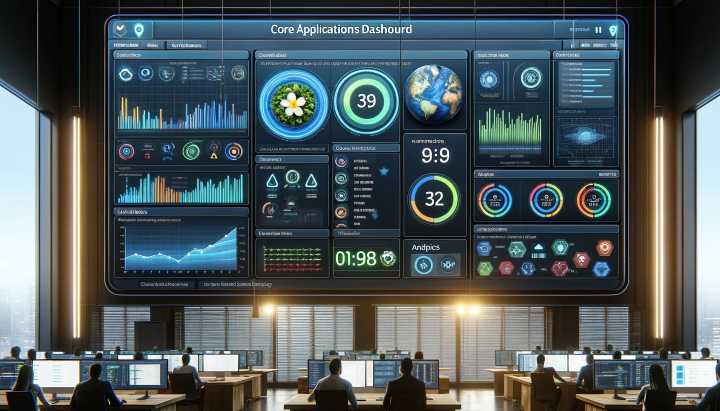
The core app dashboard acts as a central hub for visualizing key data and metrics from core business systems and applications. It enables real-time monitoring, analysis and actions through customizable dashboards.
What is a Core App Dashboard?
A core app dashboard is a centralized monitoring tool that provides visibility into the performance and health of critical business applications. It consolidates key metrics, data points and visualizations from multiple systems onto a single pane of glass.
Key Capabilities
- Real-time monitoring and alerting
- Data aggregation from disparate systems
- Customizable dashboards and widgets
- Role-based access and security
- Integration with core applications
- Automated reporting and scheduling
Core Components
The key components of a core app dashboard include:
- Integrations: Connectors to source systems like ERP, CRM, eCommerce, etc.
- Data Pipeline: Collection, cleaning and transformation of data.
- Database: Storage and querying of monitoring data.
- Visualization Layer: Customizable dashboards, charts, graphs and widgets.
- User Interface: The frontend portal for different user roles.
- Alerting & Notifications: Rules engine for alerts and notifications.
Use Cases
Core app dashboards enable several key use cases:
- Application Performance Monitoring: Tracking health metrics like uptime, response time, and errors.
- Operational Intelligence: Insights into operations and workflows.
- Anomaly Detection: Identify abnormalities and incidents.
- Business Reporting: KPIs, metrics and reports for business users.
- IT Support: Faster triaging and resolution of issues.
Benefits of the Core App Dashboard
Implementing a core app dashboard provides many benefits for an organization:
Enhanced Visibility
A unified dashboard gives complete visibility into the landscape of business-critical applications. This enables identifying issues and opportunities proactively.
Improved Communication
With access to real-time data, collaboration and communication between IT and business teams improves significantly.
Faster Troubleshooting
Aggregated data on one screen makes it faster for IT teams to troubleshoot and resolve application issues.
Increased Productivity
Easy access to actionable data helps various roles work more efficiently by removing information silos.
Optimized Processes
Analytics from the dashboard can be used to optimize processes, reduce costs and improve core application performance.
Reduced Downtime
Real-time monitoring and alerts help prevent application downtime by detecting problems ahead of time.
Strategic Decision Making
Data-driven insights from the dashboard empower executives to make better strategic decisions.
Core App Dashboard Features

The core app dashboard provides a robust set of capabilities through various feature sets:
Monitoring Features
- Application uptime tracking
- Performance metrics tracking
- Error and failure tracking
- Threshold-based alerts
- Log analysis
Analytics Features
- Customizable dashboards
- API for reporting and analytics
- Pre-built and ad hoc reporting
- Data exploration and visualization
Administration Features
- Role-based access control
- API for management and configuration
- Audit logs
- Security and authentication
Integration Features
- Connectors to business applications
- API for third-party integration
- Streaming and batch data ingestion
- Tooling for connection management
Core App Dashboard Architecture
The core app dashboard follows a scalable and adaptable architecture:
Data Sources
The various core systems and applications act as data sources for the dashboard. These include:
- Enterprise Resource Planning (ERP)
- Customer Relationship Management (CRM)
- eCommerce systems
- Content Management Systems (CMS)
- Custom applications and databases
Data Pipeline
The data pipeline extracts, processes and loads data from sources into the dashboard’s database using:
- Native connectors
- APIs
- Log files
- Streaming integration
- Batch integration
- Message queues
Database
A time-series database or data warehouse stores and manages the integrated data. It enables efficient analysis and visualization.
Visualization Layer
The frontend portal allows the creation of customizable dashboards using a drag-and-drop interface. It provides various widgets like charts, graphs, gauges and maps for visualization.
Users
Different user roles access the dashboards through the front end frontend. These include business users, IT teams, support staff, and executives.
Choosing a Core App Dashboard Solution
When selecting a core app dashboard, the key evaluation criteria include:
Feature Set – Monitoring, analytics, administration, integrations, and other feature requirements.
Data Sources – Support for collecting data from all critical systems and applications.
Scalability – Ability to handle large data volumes as usage grows over time.
Customization – Flexibility in building customized dashboards for diverse roles.
Ease of Use – User-friendly and intuitive interface for adoption across the business.
Deployment Options – Provides both on-premises and cloud-hosted deployment options.
Security – Handles data security, access control, and authentication as per company policies.
Vendor Profile – Reviews on product quality, customer support, thought leadership and roadmap.
Total Cost of Ownership – Fits business budget constraints for the short and long term.
Best Practices for Implementation
Follow these best practices when rolling out a core app dashboard:
Start Small – Focus on 2-3 critical applications to establish quick wins and demonstrate ROI.
Plan Dashboards – Develop personas and outline dashboards for each user role.
Standardize Data – Establish schemas, taxonomy, and governance upfront for quality data.
Automate Updates – Use continuous or scheduled integrations to keep data updated.
Iterate Dashboards – Take an agile approach to refine dashboards based on user feedback.
Expand Use Cases – Gradually expand to more applications, metrics, analytics, and user roles.
Promote Adoption – Train users, communicate benefits, and gather feedback regularly.
Monitor Usage – Track usage metrics to focus enhancements on high-value features.
Applications of Core App Dashboards

Core app dashboards are enabling digital transformation across industries:
Ecommerce
- Monitoring online store uptime and performance
- Tracking orders, revenue, and traffic metrics
- Analyzing customer acquisition and retention
Healthcare
- Monitoring patient portal and EHR uptime
- Optimizing staff utilization and workflows
- Managing medical device performance
Education
- Monitoring LMS and eLearning application availability
- Analyzing student engagement for online courses
- Managing IT assets and infrastructure
Finance
- Monitoring trading applications’ uptime and latency
- Analyzing risk, fraud and compliance
- Gaining customer insights from banking apps
Media
- Monitoring video streaming quality of experience
- Analyzing viewer engagement for online content
- Optimizing content delivery networks
Manufacturing
- Monitoring IOT device status and output
- Analyzing production quality and yield
- Managing assembly line utilization
Retail
- Monitoring the POS system’s uptime
- Analyzing inventory, supply chain metrics
- Gaining customer insights from mobile apps
Key Metrics to Monitor
Here are some important categories of metrics to monitor on the core application dashboard:
Application Health
- Uptime/availability
- Response time/latency
- Throughput
- Errors and exceptions
User Experience
- Load times
- Page speed
- Device/browser usage
- Session quality score
Business Transactions
- Volume of transactions
- Transaction completion rate
- Abandoned carts/checkouts
- Error rates
Operational Efficiency
- Backlog/queue length
- Staff utilization
- Process cycle times
- First-call resolution rates
Customer Engagement
- Active users
- Churn/retention rate
- Views, clicks and conversions
- Customer satisfaction score
Sales and Marketing
- Online sales volume
- Campaign ROI
- Web traffic trends
- Customer acquisition cost
Optimizing Core Application Performance
The core app dashboard provides invaluable data to optimize application performance using techniques like:
Monitoring Resource Usage – Tracking server CPU, memory, disk, and network I/O helps identify bottlenecks.
Tuning Configuration – Tweaking app server config, database parameters, and cache settings based on usage patterns.
Scaling Infrastructure – Adding more servers, memory, and bandwidth based on load. Leveraging cloud elasticity.
Code Optimizations – Improving inefficient code and algorithms based on performance data.
Caching and CDNs – Implementing caching layers and content delivery networks to reduce load.
Upgrading Software – Keeping software like app servers, databases, and operating systems up-to-date to benefit from performance fixes.
Load Balancing – Distributing load intelligently across multiple app servers to avoid hotspots.
Limiting Resource Usage – Putting caps on expensive operations like API calls, file uploads, and emails.
Asynchronous Processing – Using message queues, workers, and offline processing for non-real-time tasks.
Reducing API Calls – Optimizing frontends to minimize API requests through caching and bundling.
Query Optimization – Tuning database queries based on performance data from slow logs.
Testing Optimizations – Load testing with tools like JMeter or Gatling to validate improvements.
Profiling Code – Using profilers to identify performance bottlenecks down to the code level.
Microservices – Breaking monoliths into independently scalable microservices.
Auto Scaling – Configuring auto-scaling rules to handle spikes in traffic smoothly.
Conclusion
A core application dashboard has become an invaluable command centre that every modern digital business requires to thrive. These centralized monitoring hubs provide complete visibility into the performance, availability and efficiency of the business-critical software systems powering operations.
By holistically consolidating metrics spanning infrastructure, applications, networks, and user experiences onto a unified platform, core dashboards enable real-time monitoring, alerting and data exploration. This arms businesses with the actionable insights necessary to rapidly troubleshoot issues, identify optimization opportunities and support strategic data-driven decisions.
Following proven best practices around data integrations, custom visualizations, and collaborative notifications is key to driving maximum value. Core applications underpinning customer experiences and internal workflows are only growing more mission-critical as digital transformation accelerates across every industry. That is why investing in a tailored core application dashboard aligned to your organization’s unique environment and priorities is now an indispensable capability for strengthening business resilience.