MobileMall BlogMobileMall BlogMobileMall Blog
  • #Explore
  • Business
  • Technology
    • Gaming
    • Headphones
    • Laptops
    • Mobile Accessories
    • Home Networking
    • PCs
    • Printers
    • Smart Watches
    • Speakers
    • Streaming Devices
    • Tablets
    • Wearables
    • Smart Office
  • Security
  • Buying Guides
  • Contribute
Reading: iPhone Stuck in Headphone Mode? 9 Fixes
Share
Font ResizerAa
MobileMall BlogMobileMall Blog
Font ResizerAa
  • #Explore
  • Business
  • Technology
  • Security
  • Buying Guides
  • Contribute
  • #Explore
  • Business
  • Technology
    • Gaming
    • Headphones
    • Laptops
    • Mobile Accessories
    • Home Networking
    • PCs
    • Printers
    • Smart Watches
    • Speakers
    • Streaming Devices
    • Tablets
    • Wearables
    • Smart Office
  • Security
  • Buying Guides
  • Contribute
2025 © Mobilemall. All Rights Reserved.
Home » Blog » iPhone Stuck in Headphone Mode? 9 Fixes
Apple

iPhone Stuck in Headphone Mode? 9 Fixes

Carter (Apple Boy)
Last updated: November 11, 2025 9:16 am
Carter (Apple Boy)
Share
iPhone Stuck in Headphone Mode
SHARE

Contents

  1. Why Does My iPhone Get Stuck in Headphone Mode?
  2. 9 Fixes to Try
    1. 1. Restart Your iPhone
    2. 2. Plug and Unplug Headphones
    3. 3. Inspect and Clean the Port
    4. 4. Turn On and Off Airplane Mode
    5. 5. Disconnect Bluetooth Devices
    6. 6. Update iOS
    7. 7. Reset All Settings
    8. 8. Dry Out Moisture in the Port
    9. 9. Seek Professional Help
  3. Practical Recommendations
  4. Conclusion
  5. FAQs

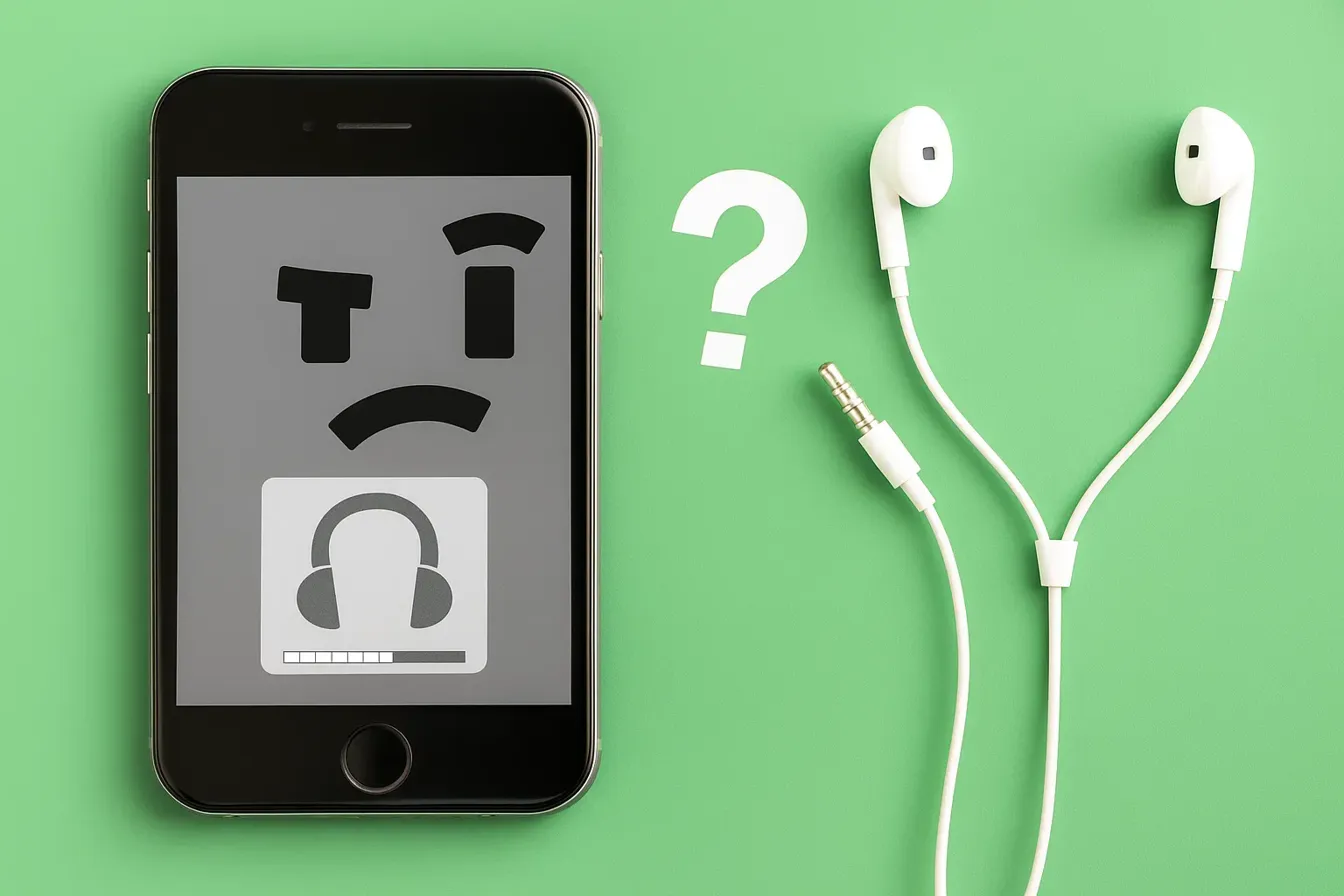
You unplug your headphones, but your iPhone still thinks they’re connected. No sound comes from the speakers, calls are hard to hear, and adjusting the volume only shows the headphone icon. This frustrating glitch is known as being “stuck in headphone mode.”

At iDoctorCT, our technicians see this issue often and know how disruptive it can be. The good news is—most of the time, it’s not a serious hardware failure. In this guide, you’ll discover the main reasons why your iPhone gets stuck in headphone mode and 9 practical fixes to restore your sound.


Why Does My iPhone Get Stuck in Headphone Mode?

Several factors can trigger this glitch, including:

  • Dust or debris inside the headphone jack or Lightning port
     
  • Moisture damage confusing the audio system
     
  • Software bugs after updates
     
  • Faulty headphone accessories or adapters
     
  • Hardware damage to the port or logic board
     

Understanding the root cause helps you decide whether a simple DIY fix will work—or if you need professional repair.


9 Fixes to Try

1. Restart Your iPhone

The simplest first step—restart your device. Many temporary glitches clear out after a reboot.

2. Plug and Unplug Headphones

Insert your headphones (or Lightning adapter) again, then remove them. Repeat a few times to help your iPhone recognize the change.

3. Inspect and Clean the Port

Use a flashlight to check your headphone jack or Lightning port. Gently remove dust or debris with a soft brush or compressed air. Avoid metal objects that may damage the port.

4. Turn On and Off Airplane Mode

Switch Airplane Mode on for 30 seconds, then turn it off. This resets your iPhone’s network and audio connections.

5. Disconnect Bluetooth Devices

Your iPhone might think a Bluetooth headset is active. Go to Settings > Bluetooth and disconnect or turn off Bluetooth completely.

6. Update iOS

Outdated or buggy software can cause headphone detection problems. Go to Settings > General > Software Update and install the latest version.

7. Reset All Settings

If updates don’t help, go to Settings > General > Reset > Reset All Settings. This clears system settings without deleting your data.

8. Dry Out Moisture in the Port

If your iPhone was exposed to water, the port may register false signals. Leave your phone powered off in a dry place, or use silica gel packets to absorb moisture.

9. Seek Professional Help

If none of these fixes work, you may have a damaged port or logic board. Our experts atiDoctorCT can run diagnostics, repair faulty components, or replace parts safely.


Practical Recommendations

  • Always use Apple-certified accessories.
     
  • Avoid inserting sharp objects into the port when cleaning.
     
  • If you notice liquid damage, power off immediately and get help.
     
  • For long-term solutions, explore ourfinancing options for affordable repairs.
     

Conclusion

An iPhone stuck in headphone mode is annoying but often fixable with simple troubleshooting. From cleaning the port to updating iOS, these steps can quickly restore your speaker sound. If the issue continues, it’s likely a hardware fault—something our skilled technicians can handle.

Whether you want to sell your device for an upgrade or schedule a fast repair through our Contact Us page, iDoctorCT is here to help.


FAQs

Q1: Will I lose data if I reset my iPhone to fix headphone mode?
No, resetting all settings won’t erase your files. It only clears system preferences like Wi-Fi passwords.

Q2: Can moisture alone cause headphone mode to get stuck?
Yes. Even small amounts of moisture in the Lightning port can trick your iPhone into thinking headphones are plugged in.
Apple Watch Update blood glucose and temperature sensor coming Soon
iPhone 18 Pro Series to Debut Apple’s Advanced C2 Modem
Unbootable Mac Data Recovery: Recover Lost Files from a Mac that Won’t Start up with Ease
All Apple stores in the US are now opened for the first time since March last year
iTunes is stuck on verifying iPhone restore. Here is how to fix it

Sign Up For Daily Newsletter

Be keep up! Get the latest breaking news delivered straight to your inbox.
[mc4wp_form]
By signing up, you agree to our Terms of Use and acknowledge the data practices in our Privacy Policy. You may unsubscribe at any time.
Share This Article
Facebook Copy Link Print
Share
ByCarter (Apple Boy)
Follow:
I am the Owner of HexaCore. I just love using Apple devices. Yes iPhone, a MacBook, Airbuds and an Apple Watch. I love their sleek designs and unqiue ideas. Writing about Apple products and updates is my hobby now.
Previous Article Realme 15 Series Realme 15 Series Launching in Pakistan – 15 & 15T Arrive Before Pro
Next Article Why Is My Phone Charging Slowly Why Is My Phone Charging Slowly? 10 Hidden Causes & Fixes

Latest News

iOS 27 Beta 4 iPhone Ultra
iOS 27 Beta 4 Code Is Talking About an iPhone With Two Batteries, and That Means the iPhone Ultra
Apple News
Samsung Galaxy Unpacked
How to Watch Samsung’s Galaxy Unpacked Live From London on 22 July
Samsung
download any twitter video with xdownloader
Xdownloader: Guide To Download Twitter Video On Your Phone Without An App
Tips & Tricks
Samsung Galaxy Z Fold8 camera
Samsung Is Reportedly Betting Bigger on the Galaxy Z Fold8 Wide Than the Ultra and Flip8
News Samsung
Sound Better on Video Calls and Webinars From Home
How to Sound Better on Video Calls and Webinars From Home
Accessories
iPhone 18 Pro variable aperture
Diagnostics log from the Tata hack confirms it: iPhone 18 Pro gets variable aperture
Apple News
Why Serious Detectorists Now Carry a Phone in One Pocket and a Pinpointer in the Other
Tech Lifestyle
RedMagic Astra 2
RedMagic Astra 2 Goes Global: Steam Games on Android, Starting at $749
News Tablets

You Might also Like

Applei Phone 17 and Applei Phone 17 air
AppleNews

iPhone 17 Debuts with 120Hz ProMotion; Ultra-Thin 5.6mm iPhone Air Steals the Show

Carter (Apple Boy)
Carter (Apple Boy)
9 Min Read
Iphone 13 Price In Pakistan
Apple

The iPhone 13 series will support Wi-Fi 6E

Carter (Apple Boy)
Carter (Apple Boy)
1 Min Read
iPhone Liquid Detected in USB-C connector
Apple

iPhone “Liquid Detected in USB-C”? 7 Quick Fixes

Cody Gipson (Phone Repair Expert)
4 Min Read

About us

Mobilemall.co blog is an informative and engaging platform that offers readers the latest news and insights on mobile phones and accessories. The blog covers a wide range of topics, including product reviews, industry trends, and tips on how to get the most out of your mobile device.

Contact Us:
[email protected]

Categories Link

  • Business
  • Mobile
  • Technology
  • Gaming
  • Phone Review
  • Android

Must Read

Best Rugged Phone
Best Rugged Phone with Built-in Projector in 2026
Smartphone
Galaxy S27 Ultra camera
Galaxy S27 Ultra probably isn’t getting that horizontal camera bar
News Samsung

Quick Links

  • Privacy Policy
  • Tech Write For Us
  • Contact Us
  • Facebook
  • Instagram
  • YouTube
  • LinkedIn
2026 © Mobilemall. All Rights Reserved.
Go to mobile version
Welcome Back!

Sign in to your account

Username or Email Address
Password

Lost your password?

Not a member? Sign Up