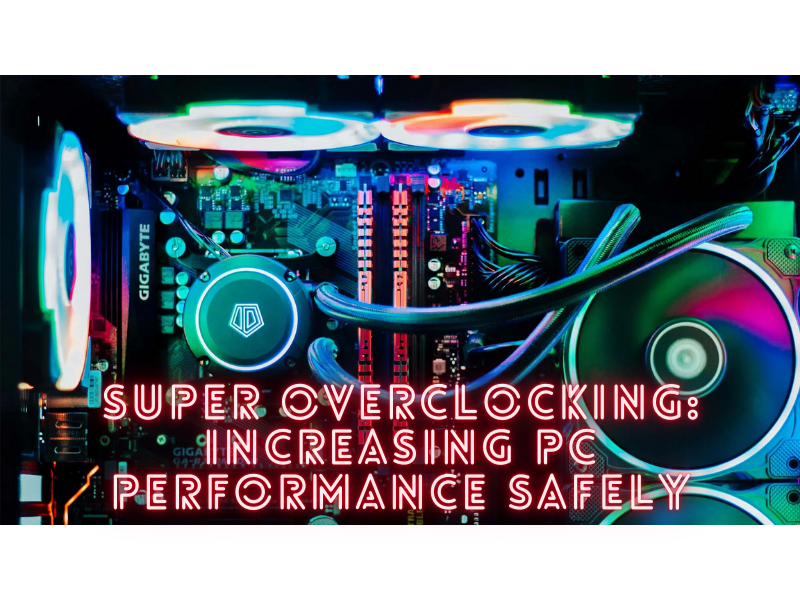
Pursuing optimal performance is an ongoing task in the world of PC enthusiasts and gamers. Super Overclocking is a popular technique for enhancing performance further. By Super overclocking, you can increase the speed and power of your computer’s components by pushing them above their factory-imposed limits. To minimize hazards, it’s essential to approach overclocking cautiously. In this post, we’ll examine the idea of overclocking, talk about its advantages and dangers, and provide you with crucial instructions so you may safely increase your PC’s performance.
You Understand Super Overclocking
Running a computer component, such as the CPU (Central Processing Unit) or GPU (Graphics Processing Unit), faster than the default parameters specified by the manufacturer is known as Super overclocking. By doing this, you can enhance your PC’s performance and increase its capacity for complicated tasks like gaming, video editing, and 3D rendering.
Gains From Super Overclocking
| Advantages | Description |
|---|---|
| Improved Performance | By overclocking your system, you can extract more performance, speeding up processing and improving gameplay. |
| Budget-Friendly Upgrade | Super Overclocking is a technique to boost the performance of your system without having to buy new, more expensive components. |
| Customization | By balancing power and efficiency through overclocking, you can adjust your PC’s performance to fit your unique needs. |
Risks And Safety Measures
While there are advantages to super overclocking, there are also certain risks that must be minimized:
| Disadvantages | Description |
|---|---|
| Heat Production | Super Overclocking makes your components hotter, which could affect their stability or cause irreparable damage. It’s crucial to have adequate cooling, which includes good fans and heat sinks. |
| Added Power Consumption | Because overclocking uses more power, it might strain your power supply and increase utility bills. Make sure your power source can accommodate the rising needs. |
| Voiding Warranty | Usually, overclocking nullifies the manufacturer’s warranty. Be aware of the effects before moving forward. |
| Component Degradation | Operating components for extended periods at higher speeds will shorten their lifespan. This risk can be reduced by monitoring voltages and temperatures and avoiding extreme super overclocking. |
Using Safe Overclocking Techniques
You should adhere to the following rules to ensure safe overclocking:
- Conduct research to learn the capabilities and restrictions of your gear. Read user reviews, how-to articles, and forums to learn from other users’ experiences.
- Incremental Approach: Start with cautious overclocks and progressively boost clock rates while monitoring stability and heat. Tools for stress testing can aid in finding stability problems.
- Cooling: Invest in good cooling options, such as powerful CPU coolers, effective case fans, and adequate airflow control. This will aid in removing the extra heat produced during overclocking.
- Monitor Temperatures: Use monitoring software to keep tabs on the temperatures of your components. Adjust your overclock or enhance cooling if the heat rises too much.
- Power Supply Considerations: Make sure your power supply can offer consistent power and has enough wattage to accommodate the higher needs of overclocked components.
- Patience and Trial-and-Error: Overclocking is an incremental process that calls for both qualities. If there are any crashes or periods of instability, be ready to return to stable settings.
A Thrilling And Satisfying Process
Super Overclocking can give your PC an additional performance boost. To avoid damage and instability, it is essential to use caution and follow safe procedures when handling it. You can safely unlock more performance from your PC by studying your hardware, gradually increasing clock speeds, using efficient cooling, and keeping an eye on temps. Remember that balancing performance improvements and long-term component dependability is the main objective.
Things To Consider
Super Overclocking must be done carefully and intelligently, though. To avoid overheating and potential damage, it is essential to apply sufficient cooling methods and understand the capabilities and limitations of your technology. Furthermore, it’s crucial to remember that overclocking could void warranties and can be a laborious procedure that calls for persistence and experimentation to discover stable settings.
Even though super overclocking can result in remarkable performance benefits, not everyone should do it. Overclocking may benefit users who perform resource-intensive jobs like gaming, video editing, or 3D rendering. Casual users may not notice a noticeable difference in day-to-day operations.
The choice to overclock your PC is ultimately personal and should be made after weighing the pros and cons. Super Overclocking may be a career option worth pursuing if you have a passion for pushing limits and increasing performance and are prepared to put in the time and effort necessary to do it safely. However, remaining with the factory settings is suitable for people who prefer a more uncomplicated and risk-free computing experience.
It would be best to approach super overclocking with knowledge, caution, and respect for your hardware. When done correctly, it can improve your PC experience and unlock new performance levels, but always put your system’s long-term stability and health first.
FAQs About Super Overclocking
Super overclocking can be safe if done properly, but it does come with risks. It can cause overheating, increased power consumption, potential warranty voidance, and potentially shorten the lifespan of the components. Adequate cooling, careful monitoring, and responsible implementation are key to safe overclocking.
Usually, super overclocking can void the manufacturer’s warranty. However, some manufacturers may support overclocking to some extent. Always check your warranty terms and conditions before overclocking.
The performance gain from super overclocking varies depending on the component and the extent to which it’s overclocked. It’s not uncommon to see a performance increase of 10-20%, but results will vary greatly depending on the specific circumstances.
While gaming is a common reason for overclocking due to the performance benefits, it’s not the only use. Overclocking can also benefit performance-heavy applications such as video editing, 3D rendering, and scientific computing.
There are several ways to cool an overclocked system, including using larger or more efficient fans, liquid cooling systems, or even more advanced methods like phase-change cooling. Remember, adequate cooling is crucial when overclocking to prevent damage to your components.
Not all components can be overclocked. Commonly overclocked components include the CPU, GPU, and RAM. Other components, like storage drives, typically can’t be overclocked. Always research your specific hardware before attempting to overclock.
In Conclusion
Super Overclocking can be an effective strategy for enthusiasts and gamers who want the most performance out of their PCs. It can result in considerable speed gains and provide a more immersive computing experience when carried out safely and with the necessary precautions. Users can increase clock speeds and processing power by overclocking their CPU, GPU, and RAM to their absolute limits.