MobileMall BlogMobileMall BlogMobileMall Blog
  • #Explore
  • Business
  • Technology
    • Gaming
    • Headphones
    • Laptops
    • Mobile Accessories
    • Home Networking
    • PCs
    • Printers
    • Smart Watches
    • Speakers
    • Streaming Devices
    • Tablets
    • Wearables
    • Smart Office
  • Security
  • Buying Guides
  • Contribute
Reading: Why Your Phone’s Connection Might Be Putting You at Risk
Share
Font ResizerAa
MobileMall BlogMobileMall Blog
Font ResizerAa
  • #Explore
  • Business
  • Technology
  • Security
  • Buying Guides
  • Contribute
  • #Explore
  • Business
  • Technology
    • Gaming
    • Headphones
    • Laptops
    • Mobile Accessories
    • Home Networking
    • PCs
    • Printers
    • Smart Watches
    • Speakers
    • Streaming Devices
    • Tablets
    • Wearables
    • Smart Office
  • Security
  • Buying Guides
  • Contribute
2025 © Mobilemall. All Rights Reserved.
Home » Blog » Why Your Phone’s Connection Might Be Putting You at Risk
Cyber Security

Why Your Phone’s Connection Might Be Putting You at Risk

Miller (AI & Cyber Security Guy)
Last updated: March 28, 2026 7:10 am
Miller (AI & Cyber Security Guy)
Share
Mobile connection security
SHARE

Contents

  1. Coffee Shops Are Not Safe
  2. Cellular Data and the Illusion of Privacy
  3. Simple Steps to Lock Down Your Device
  4. Take a Few Extra Seconds

We tap, we swipe, we connect. Most of us rarely give a second thought to the invisible signals bridging our smartphones to the rest of the web. You grab a coffee, hit “agree” on the cafe’s splash screen, and immediately start checking bank balances or firing off work emails. But that seamless convenience masks a pretty glaring vulnerability. Your phone is essentially shouting your digital habits into a crowded room, hoping nobody malicious is listening. We carry these devices everywhere, treating them like trusted confidants, yet the networks they rely on are often anything but secure.

Coffee Shops Are Not Safe

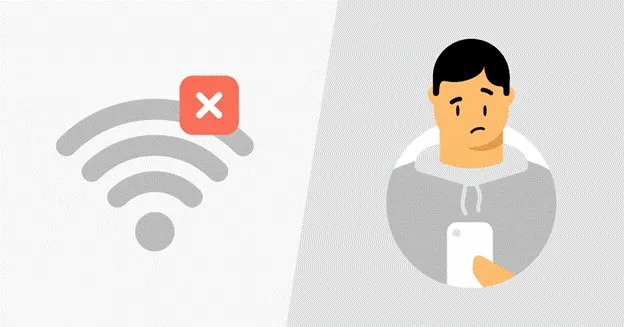
Public Wi-Fi is incredibly convenient, yet it’s basically a playground for data interception. You might think you’re just browsing the news, but the network administrator, or a hacker lurking on the same connection, can potentially see unencrypted traffic. Even if you’re cautious, sharing an IP address with dozens of strangers can inadvertently flag your accounts for suspicious activity. Have you ever been locked out of a banking app just because you logged in from a weird location? It’s incredibly frustrating.
Coffee Shops Are Not Safe

A solid workaround is using a VPN with dedicated IP. Instead of getting lumped into a pool of random users where someone else’s sketchy browsing could get the shared IP blacklisted, you get a consistent, secure tunnel that belongs only to you. It keeps your data locked down without triggering endless CAPTCHA challenges every time you try to buy concert tickets or log into your work email.

Cellular Data and the Illusion of Privacy

So, you switch off Wi-Fi and rely entirely on your carrier’s 4G or 5G. Safe, right? Not exactly. While cellular networks are generally harder to intercept locally than an unsecured router at an airport, your internet service provider still tracks nearly everything you do. They log the sites you visit, the time you spend on them, and your physical location throughout the day.
Security isn't boring it's survival

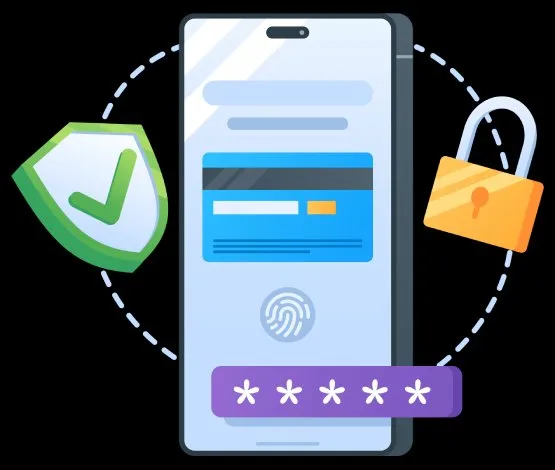
This data is often bundled up and sold to advertisers or third-party brokers. It feels a bit invasive, doesn’t it? Your phone acts as a persistent beacon, broadcasting your daily routine to entities that profit from your habits. Furthermore, malicious actors can use cell site simulators, which are often called Stingrays, to trick your phone into connecting to a fake tower, intercepting texts and calls in the process.

Simple Steps to Lock Down Your Device
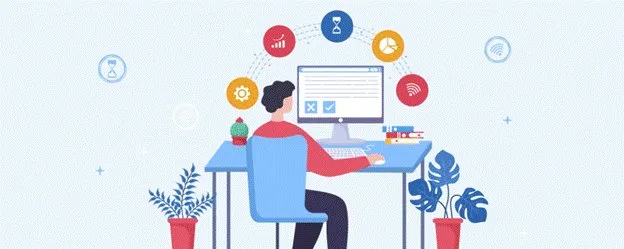
Simple Steps to Lock Down Your Device

You don’t need to toss your smartphone into the nearest river to reclaim your privacy. A few minor adjustments make a massive difference. Start by turning off auto-connect features for Wi-Fi and Bluetooth. If your phone isn’t constantly searching for familiar networks, it’s much harder for retail trackers to map your movements through a mall. Next, audit your app permissions. Does that generic calculator app really need access to your precise GPS coordinates? Probably not.

Take a Few Extra Seconds

Treat your digital connection like a physical conversation. If you wouldn’t shout your passwords across a crowded room, don’t send them over an unprotected network. Taking a few extra seconds to secure your connection ensures your private life stays exactly that: private.

7 Quick Tips To Strengthen Your Android Phone Security 
Privacy Features of Infinix HOT 60 Series
Secure Remote Work on Your Mac: Essential Tools for 2025
Bangalore Cybersecurity Startups Pulled in $27 Million by May 2025, Up 12x From Last Year
Crypto in Your Pocket – Easy & Fast Mobile Transactions

Sign Up For Daily Newsletter

Be keep up! Get the latest breaking news delivered straight to your inbox.
[mc4wp_form]
By signing up, you agree to our Terms of Use and acknowledge the data practices in our Privacy Policy. You may unsubscribe at any time.
Share This Article
Facebook Copy Link Print
Share
ByMiller (AI & Cyber Security Guy)
Follow:
Mike Miller, a cybersecurity and AI expert with over 10 years of experience in the field. I have a proven track record of helping companies strengthen their security posture by identifying and addressing vulnerabilities in their networks and systems. I have a deep understanding of AI and its applications. Part time writing at Mobilemall Blog.
Previous Article App localization compliance USA How App Localization Supports U.S. Regulatory and Compliance Expectations
Next Article 5 Portable Entertainment Products Announced for 2026 5 Portable Entertainment Products Announced for 2026 That Are Actually Coming

Latest News

iOS 27 Beta 4 iPhone Ultra
iOS 27 Beta 4 Code Is Talking About an iPhone With Two Batteries, and That Means the iPhone Ultra
Apple News
Samsung Galaxy Unpacked
How to Watch Samsung’s Galaxy Unpacked Live From London on 22 July
Samsung
download any twitter video with xdownloader
Xdownloader: Guide To Download Twitter Video On Your Phone Without An App
Tips & Tricks
Samsung Galaxy Z Fold8 camera
Samsung Is Reportedly Betting Bigger on the Galaxy Z Fold8 Wide Than the Ultra and Flip8
News Samsung
Sound Better on Video Calls and Webinars From Home
How to Sound Better on Video Calls and Webinars From Home
Accessories
iPhone 18 Pro variable aperture
Diagnostics log from the Tata hack confirms it: iPhone 18 Pro gets variable aperture
Apple News
Why Serious Detectorists Now Carry a Phone in One Pocket and a Pinpointer in the Other
Tech Lifestyle
RedMagic Astra 2
RedMagic Astra 2 Goes Global: Steam Games on Android, Starting at $749
News Tablets

You Might also Like

Cars and Cybersecurity
Cyber Security

Connected Cars and Cybersecurity: What You Actually Need to Know

Miller (AI & Cyber Security Guy)
13 Min Read
Online Sign-Ups - Temp Security
Cyber Security

Online Sign-Ups: How a Temporary Number Protects Your Privacy

Miller (AI & Cyber Security Guy)
10 Min Read
most-betting-apps-still-send-your-login-code-by-sms-and-sim-swap-fraud-rose-1055
Cyber Security

Most Betting Apps Still Send Your Login Code by SMS, and SIM Swap Fraud Rose 1,055% Last Year

Miller (AI & Cyber Security Guy)
10 Min Read

About us

Mobilemall.co blog is an informative and engaging platform that offers readers the latest news and insights on mobile phones and accessories. The blog covers a wide range of topics, including product reviews, industry trends, and tips on how to get the most out of your mobile device.

Contact Us:
[email protected]

Categories Link

  • Business
  • Mobile
  • Technology
  • Gaming
  • Phone Review
  • Android

Must Read

Best Rugged Phone
Best Rugged Phone with Built-in Projector in 2026
Smartphone
Galaxy S27 Ultra camera
Galaxy S27 Ultra probably isn’t getting that horizontal camera bar
News Samsung

Quick Links

  • Privacy Policy
  • Tech Write For Us
  • Contact Us
  • Facebook
  • Instagram
  • YouTube
  • LinkedIn
2026 © Mobilemall. All Rights Reserved.
Go to mobile version
Welcome Back!

Sign in to your account

Username or Email Address
Password

Lost your password?

Not a member? Sign Up