
The iCloud activation lock stops iPhone users from getting into their devices. This security feature protects data but can also lock owners out after resets. Therefore, many people look for safe ways to get access again without hassle. So, this guide explains iCloud activation lock bypass options in a clear and straightforward way. Also, with easy tools like Dr.Fone Screen Unlock, anyone can regain full access quickly.
Part 1. What is iCloud Activation Lock & Why Does It Happen
iCloud Activation Lock is an Apple safety feature protecting devices after loss events. This connects your device to your Apple account through Find My device. The device asks for the same account during setup because of this link. Besides, it stops thieves or strangers from using a lost or stolen device without permission.
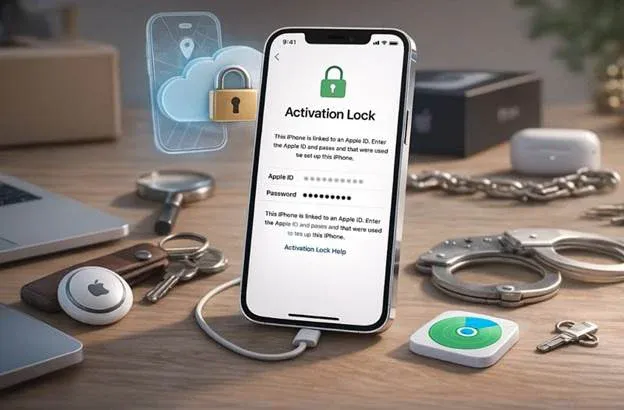
Moreover, activation lock appears when Find My stays on during repairs or updates. When buying used phones, a block is triggered if owners forget to sign out. Therefore, some users later search for ways to bypass iCloud activation lock safely. Thus, understanding this helps users decide when bypass iCloud activation lock becomes necessary.
Part 2. Why Choose Dr.Fone Screen Unlock for Activation Lock Bypass
Many iPhone users face activation lock after forgetting details or second-hand purchases. In such cases, Dr.Fone – Screen Unlock (iOS) offers a direct and reliable way to solve this problem. It helps users remove iCloud activation lock and regain access without complex steps. Plus, Dr.Fone – Screen Unlock (iOS) supports the latest iOS 26 for modern Apple devices.
In addition to that, the tool works with iPhones from the 5S to the newest 17 Pro Max. Users can even unlock iCloud activation lock without waiting or lengthy approval processes. The local unlock technology ensures data remains secure and fully protected. Hence, it restores full access so you can set up your own new iCloud account.
Key Features
- Secure Data: Keeps all personal data private in the unlocking process.
- Minimal Risk: Minimizes the odds of errors in comparison to manual or unofficial ways.
- Complete Access: Restores whole device functionality after the activation lock removal process.
- Device Control: Prevents remote erasing attempts from accounts previously linked to the device.
- No Device Damage: Removes activation lock safely without modifying system files or firmware.
Part 3. Step-by-Step: How to Bypass Activation Lock with Dr.Fone
Before starting the process, users should understand each step to avoid confusion. So, this section explains how the activation lock removal tool works using clear, guided actions:
Step 1. Open the iCloud Lock Removal Tool
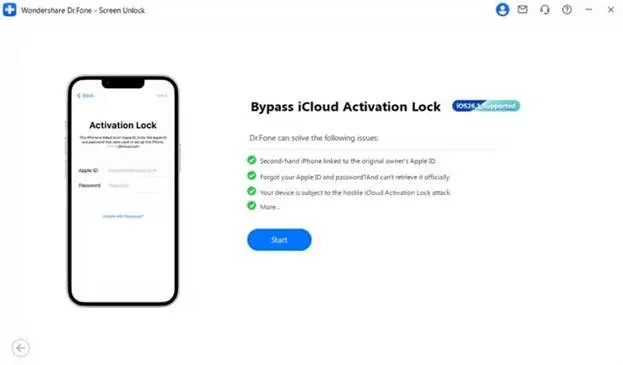
Go to the “Toolbox” tab and choose the “Screen Unlock” feature for “iOS” devices. On the next screen, select “iCloud Activation Lock Removal” and then click the “Start” button.
Step 2. Prepare Your iPhone to Bypass
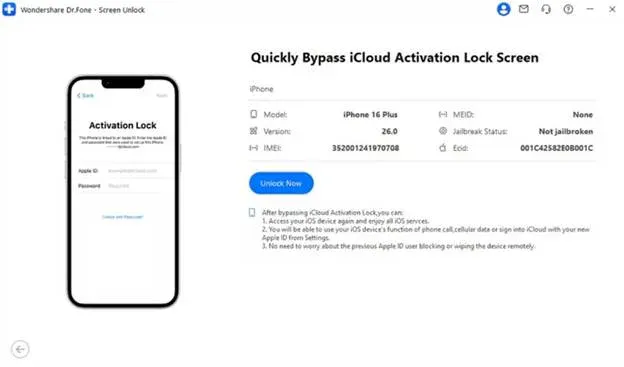
Afterward, connect your device to the computer and click “Unlock Now” to move forward. For iOS 17.0.1–26.1, the required drivers will be detected and installed automatically. If you are on iOS 15.0–16.7.11, follow the displayed guide to enter “Recovery Mode.” For iOS 12.0–14.8.1, complete the jailbreak manually by following the provided instructions.
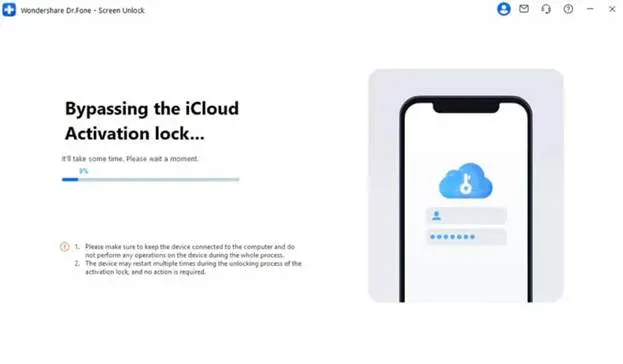
Step 3. Remove the iCloud Activation Lock
After setup is complete, the software will begin removing the iCloud lock. A confirmation message will appear once the lock is successfully bypassed.
Part 4. Alternative Methods to Bypass Activation Lock
Many people feel stressed and stuck when the activation lock blocks their iPhone. Below are two simple methods to handle the iCloud activation lock bypass and approval:
1. Ask the Owner for Account Credentials
An activation Lock may appear unexpectedly if your second-hand iPhone was reset. Therefore, ask the original owner to help unlock the activation lock on the iPhone safely via the servers. This system is effective because the lock links the phone’s special code to the user account on Apple’s servers. The device cannot be set up or activated without their assistance. Moreover, Apple servers stop setting up until the correct details confirm real ownership status.
2. Remove iPhone from Find My
You can remove an iPhone from Find My only when the previous owner approves. Find My links devices to servers, the lock stays until removal. Therefore, once owners remove the device remotely, phones activate again without restrictions. This approach can remove iCloud activation lock, but it never clears the person’s account. However, buyers must rely on previous owners for clearance. Follow the steps below to remove an iPhone via Find My:
Step 1. Go to “iCloud Find Devices” and sign in using the owner’s Apple ID. Next, click on “Locked iPhone” from the main iCloud dashboard.
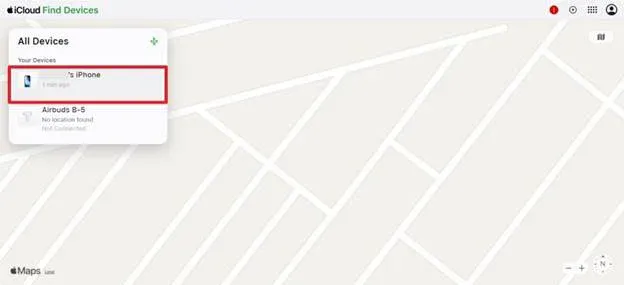
Step 2. Moving forward, choose the “Remove” option to detach and unlock the iCloud-locked device.
FAQs About iCloud Activation Lock Bypass
Data is usually preserved if professional unlock tools are used. Some bypass methods erase all device content permanently during unlocking. Dr.Fone Screen Unlock lets you bypass the lock screen without managing the device.
Yes, if the device is restored or linked to a previous Apple ID. Proper bypass using Dr.Fone prevents recurring activation lock issues. Always ensure the device is entirely removed from the last account.
Bypassing the lock may also void Apple’s warranty and official support. Apple can deny service in case its device is discovered to be tampered with or unlocked. Avoid cracking the activation lock without looking at the warranty agreement.
Conclusion
In summary, the iCloud activation lock helps protect data but can also lock genuine users out. Therefore, understanding proper steps prevents errors and protects personal data during the process. Alternative methods exist, but they require the previous owner’s approval or Apple verification.
Hence, there is a low risk of using trusted tools and getting full functionality of the devices back. For a secure and easy iCloud activation lock bypass, try Dr.Fone – Screen Unlock (iOS) today.