

You want to build a website, but don’t know where to start. There’s a lot of confusing information out there about hosting, domains, WordPress, and a bunch of other stuff that sounds harder than it actually is.
Bluehost web hosting makes this easier than most. They’ve been hosting websites since 2003, currently host over 2 million sites, and WordPress.org has been recommending them since 2005. That recommendation isn’t a paid marketing thing – Bluehost built their entire platform around making WordPress simple for people who’ve never touched web hosting before.
Here’s how to get your site up and running.
What Bluehost Actually Does
Web hosting is just renting space on a server so your website is accessible all the time. Your website files need somewhere to live – Bluehost provides that somewhere.
They store everything on their servers and make sure anyone can access your site when they type in your address. Their servers use NVMe storage, which is faster than regular hard drives, and they’ve got data centers spread around the world. They guarantee 99.99% uptime, which means your site will be down for less than an hour per year, usually during maintenance windows you won’t even notice.
They offer a few different hosting types. Most people starting out use shared hosting – your site shares a server with other websites. It’s cheaper and works fine until you’re pulling serious traffic numbers. If you outgrow that, you can upgrade to VPS hosting (more control, dedicated resources) or dedicated hosting (your own entire server).
Picking Your Domain Name
Your domain is your website’s address – the thing people type to find you. You want something short, easy to spell, and relevant to what you’re doing. Skip the hyphens and numbers. If people can’t spell it correctly when they hear you say it out loud, pick something else.
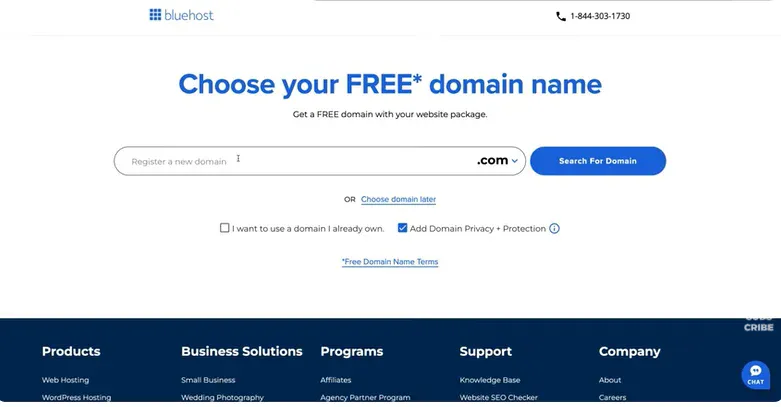
Most of the plans come with a free domain name in Bluehost.Renewal after the initial year would cost approximately 15-20/year. You are free to register.com, .net, .org, and dozens of other extensions.
In case of an existing domain, Bluehost will provide alternatives as its search tool. At the time of signup, you can use a domain that you already have, transferring it to Bluehost – they will assist you with the process.
Fast tip: Before you commit, you should check whether your domain name is free on the social media websites. Making platform handles similar enables things to be easier in future.
Which Bluehost Plan to Choose
Bluehost has three main shared hosting tiers for most users, plus some advanced options you probably don’t need yet.
The Starter Plan runs $2.95/month for your first term and gives you 10 websites, 10GB storage, and access to their AI site builder. Plenty for a personal blog or a small business site that’s just getting off the ground.
The Business Plan costs $7.95/month initially, bumps you to 50 websites and 50GB storage, and includes malware scanning and removal. Worth considering if you’re taking your site seriously from the start or expect to scale up quickly.
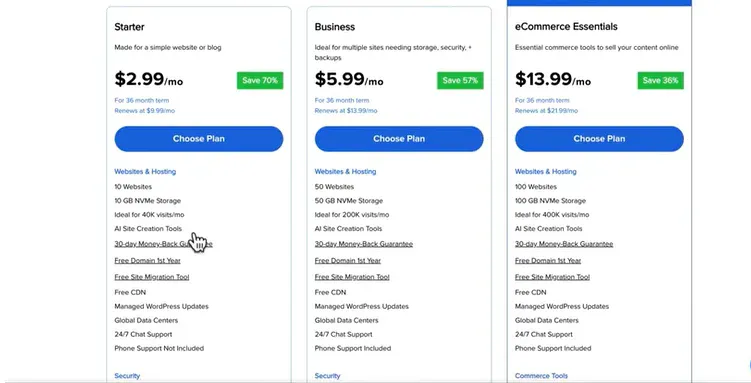
eCommerce Essentials at $12.95/month adds WooCommerce (WordPress’s ecommerce plugin), payment processing setup, and store features like gift cards and product search. Only grab this if you’re actually selling products.
Such opening prices are not permanent. The rates of renewal increase to approximately 10.99, 18.99 and 23.99 respectively. Nevertheless, it is not too expensive, you just need to accommodate it into your budget.
They also provide WordPress Cloud Hosting (sooner performance, 100 percent uptime assurance), VPS hosting (inclusiveness of additional technical control), and dedicated servers (your own physical machine). Shared hosting is all you should use unless you are certain that you need these.
Creating Your Account
Head to Bluehost.com and click “Get Started.” Pick your plan.
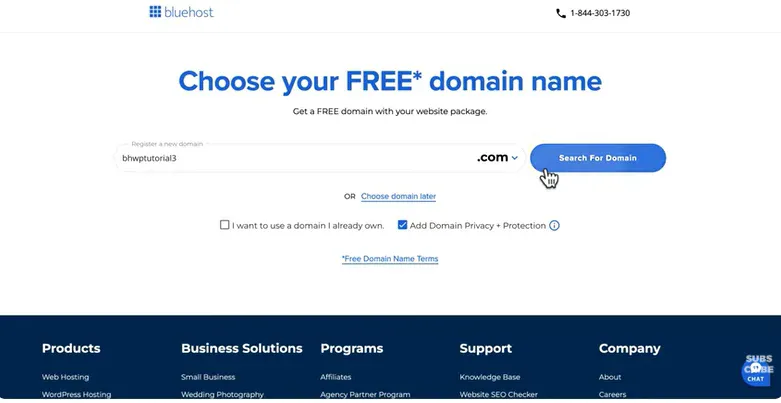
Enter the domain name you want. You can skip this step and add it later, but then you’re wasting the free year they give you.
Create your account using your email and a password. Choose a billing cycle – longer terms reduce the monthly cost but require more money upfront. The 36-month option gets you the lowest rate.
Bluehost will try to sell you add-ons during checkout. Domain privacy ($12/year) hides your personal information from public WHOIS records – worth getting if you don’t want your email and address searchable by anyone. SiteLock security and CodeGuard backups are optional. Bluehost already includes basic security features and weekly backups with your plan.
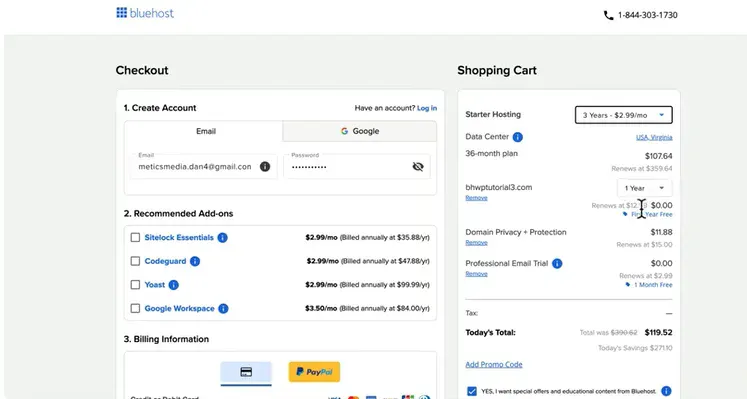
Pay with a credit card or PayPal. You’ll receive a welcome email within a few minutes containing your login information.
Getting Your Site Running
Log in, and Bluehost’s AI onboarding will ask you a few questions about what you’re building. Answer them – it’ll recommend templates and features based on what you’re trying to do.
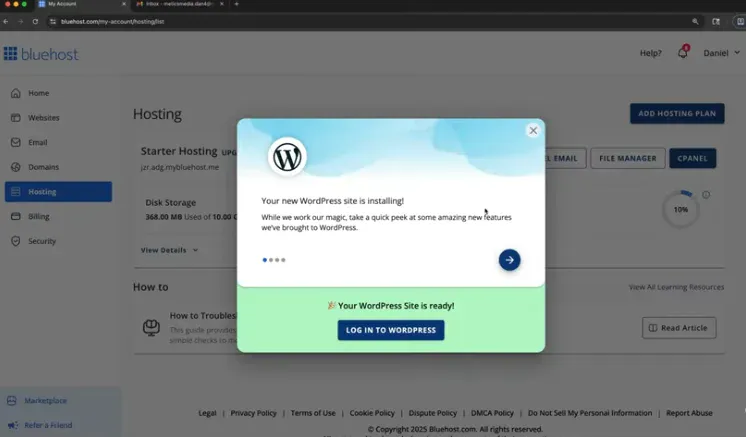
WordPress is suitable to the majority of people. It powers 43 percent of all sites and provides you with total control without the necessity of knowing how to write any code. On signing up, WordPress is automatically installed at Bluehost. In case you have somehow missed that, you can be in a position to install it with a single click on your dashboard.
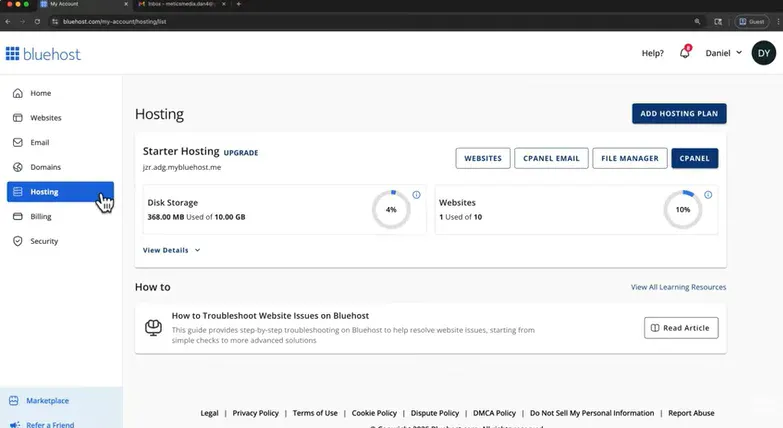
Everything gets managed through the WonderSuite control panel. It’s cleaner than the old cPanel interface they used to have. From the dashboard, you can manage domains, install plugins, set up email addresses for your domain, check security reports, and monitor site speed and uptime.
Already have a WordPress site on another host? Bluehost offers free migration services to move it over. You can also use migration plugins to handle it yourself.
Making Your Site Look Good
Visitors decide whether to stick around or leave in about 50 milliseconds based on how your site looks. First impressions count.
The AI at Bluehost will create a starter site depending on the answers during the onboarding. It will not be ideal, but it is better than sitting in front of a blank screen and not knowing how or where to start.
There are thousands of themes of WordPress including free and paid ones. View them on your WordPress dashboard in Appearance Themes. Take something clean that suits you.Good free themes are Astra, GeneratePress as well as OceanWP. Should you have some cash to spare, Divi and Elementor have drag-and-drop builders, which customization is relatively easy without touching the code.
Your layout, colors and design are governed by themes. Majority of them allow you to make all the customization with only one line of writing.Post your logo, select your color palette, fonts. Be simple – use the minimal color and font combinations.
Waste not weeks getting agonized about this.What you say is much more important than whether your buttons are the specific shade of blue you are looking for.
Adding Your Content
Now comes the actual work – filling your site with stuff people want to read.
Begin with the minimum pages, which would be the About, Contact and whatever it is that you are selling (blog posts, portfolio work, product pages). Reproduce your conversation. Nobody likes reading corporate jargons.
WordPress uses a block system for everything now. Adding images, videos, buttons, and other elements works pretty intuitively. If you’ve used Google Docs, you can figure out WordPress.
Plugins worth installing:
Contact Form 7 or WPForms handle contact forms. Yoast SEO (the free version works fine) covers basic search optimization. Smush compresses images without destroying quality. UpdraftPlus adds extra backups if you’re the paranoid type.
Planning to sell products? WooCommerce comes pre-installed with the eCommerce plan. It handles products, payments, shipping, taxes – everything needed for a basic online store.
Keep your site updated. Search engines favor fresh content, and visitors can tell when a site’s been abandoned for six months.
Keeping Your Site Secure
Every Bluehost plan includes a free SSL certificate. This encrypts data between your site and visitors – you’ll see the padlock icon in the browser address bar. It’s required for e-commerce and helps your Google rankings.
The other security-related policies were: DDoS protection against traffic spikes of malicious nature, Web Application Firewall to prevent rogue requests, automatic malware scanning, and weekly backups (Business plan customers receive daily backups).
What you are expected to do: Strong passwords: password123 is not a strong password, nor is the name of your pet.Activate the two-factor authentication where possible.
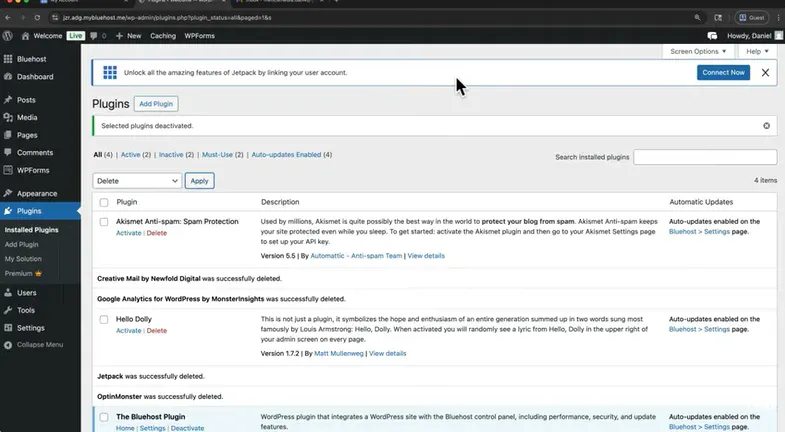
Use WordPress and update it and your plugins.The majority of site hacks occur due to the fact that the person is running old software. Bluehost automatically updates WordPress core files, but you must update the plugins periodically (after every 4 or 5 weeks).
Something goes wrong? Bluehost support is 24/7 via live chat, telephone or support ticket.The response time in chat is normally less than 10 minutes.
Getting People to Visit
Your site’s live. Nobody knows it exists yet.
SEO basics: Yoast SEO helps optimize pages for Google. Use it to write meta descriptions, check readability, and avoid obvious mistakes. SEO takes months to show results, so start now rather than later.
Social media: Share your content where your audience already spends time. Don’t spam links everywhere – post useful stuff and actually engage with people.
Email: Bluehost offers professional email ([email protected]) through Google Workspace integration or their own email service. Start collecting email addresses early. Email subscribers are worth roughly 10x what social media followers are worth.
Paid options exist: Bluehost sells digital marketing services – SEO packages, PPC campaign management, that kind of thing. You probably don’t need these immediately. Learn the fundamentals yourself first.
Bluehost Academy offers free courses in your dashboard covering marketing basics if you’re starting from scratch.
Tracking What Actually Works
Install Google Analytics. It is free and it tells you all about the people visiting your site, their origin, the pages that they visited and the amount of time they spend.
Connect it in the bluehost dashboard – it has an in-built integration that is completed in 30 seconds.
Measures that count: Pageviews indicate the amount of traffic that you are drawing. Bounces rate (percentage of abandonment – less than 70 is good). Traffic sources will inform you which visitors arrive at you (search engines, social media, direct visits, referral links). First pages disclose what people actually read.
Basics are also shown on the dashboard of Bluehost – the bandwidth used, the number of visitors, the speed with which the page loads. In case of slow loading of pages, it has a free CDN (content delivery network) whose job is to store your files around the world so that they can be loaded faster.
Check your analytics at least monthly. Look for patterns. Do more of what works.
Worth Doing
Having a site in 2025 is not a revolutionary idea, but it is one of the best options to have your own piece of land on the internet. The social media could freeze you, alter their algorithms during the night, or close altogether. Your website belongs to you.
Bluehost takes care of the server and technical support to get in the development of the content and something that people will find valuable to do. They are not perfect, no hosting company is but they are trusted, affordable and targeted to those who are just beginning.
The hardest part is clicking “publish” on your first post. Everything else you figure out along the way.