MobileMall BlogMobileMall BlogMobileMall Blog
  • #Explore
  • Business
  • Technology
    • Gaming
    • Headphones
    • Laptops
    • Mobile Accessories
    • Home Networking
    • PCs
    • Printers
    • Smart Watches
    • Speakers
    • Streaming Devices
    • Tablets
    • Wearables
    • Smart Office
  • Security
  • Buying Guides
  • Contribute
Reading: iPhone Stuck in Headphone Mode? 9 Fixes
Share
Font ResizerAa
MobileMall BlogMobileMall Blog
Font ResizerAa
  • #Explore
  • Business
  • Technology
  • Security
  • Buying Guides
  • Contribute
  • #Explore
  • Business
  • Technology
    • Gaming
    • Headphones
    • Laptops
    • Mobile Accessories
    • Home Networking
    • PCs
    • Printers
    • Smart Watches
    • Speakers
    • Streaming Devices
    • Tablets
    • Wearables
    • Smart Office
  • Security
  • Buying Guides
  • Contribute
2025 © Mobilemall. All Rights Reserved.
Home » Blog » iPhone Stuck in Headphone Mode? 9 Fixes
Apple

iPhone Stuck in Headphone Mode? 9 Fixes

Carter (Apple Boy)
Last updated: November 11, 2025 9:16 am
Carter (Apple Boy)
Share
iPhone Stuck in Headphone Mode
SHARE

Contents

  1. Why Does My iPhone Get Stuck in Headphone Mode?
  2. 9 Fixes to Try
    1. 1. Restart Your iPhone
    2. 2. Plug and Unplug Headphones
    3. 3. Inspect and Clean the Port
    4. 4. Turn On and Off Airplane Mode
    5. 5. Disconnect Bluetooth Devices
    6. 6. Update iOS
    7. 7. Reset All Settings
    8. 8. Dry Out Moisture in the Port
    9. 9. Seek Professional Help
  3. Practical Recommendations
  4. Conclusion
  5. FAQs

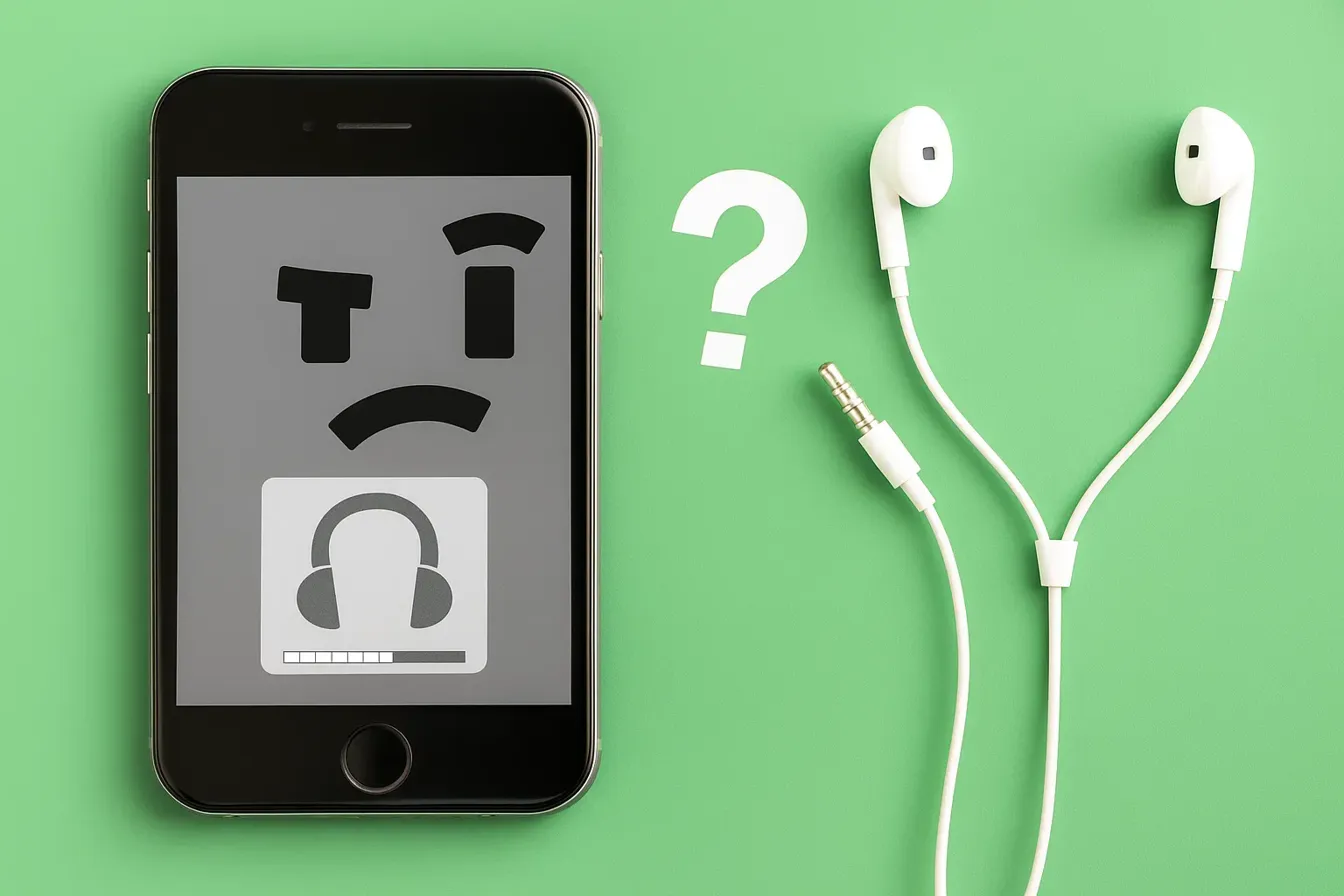
You unplug your headphones, but your iPhone still thinks they’re connected. No sound comes from the speakers, calls are hard to hear, and adjusting the volume only shows the headphone icon. This frustrating glitch is known as being “stuck in headphone mode.”

At iDoctorCT, our technicians see this issue often and know how disruptive it can be. The good news is—most of the time, it’s not a serious hardware failure. In this guide, you’ll discover the main reasons why your iPhone gets stuck in headphone mode and 9 practical fixes to restore your sound.


Why Does My iPhone Get Stuck in Headphone Mode?

Several factors can trigger this glitch, including:

  • Dust or debris inside the headphone jack or Lightning port
     
  • Moisture damage confusing the audio system
     
  • Software bugs after updates
     
  • Faulty headphone accessories or adapters
     
  • Hardware damage to the port or logic board
     

Understanding the root cause helps you decide whether a simple DIY fix will work—or if you need professional repair.


9 Fixes to Try

1. Restart Your iPhone

The simplest first step—restart your device. Many temporary glitches clear out after a reboot.

2. Plug and Unplug Headphones

Insert your headphones (or Lightning adapter) again, then remove them. Repeat a few times to help your iPhone recognize the change.

3. Inspect and Clean the Port

Use a flashlight to check your headphone jack or Lightning port. Gently remove dust or debris with a soft brush or compressed air. Avoid metal objects that may damage the port.

4. Turn On and Off Airplane Mode

Switch Airplane Mode on for 30 seconds, then turn it off. This resets your iPhone’s network and audio connections.

5. Disconnect Bluetooth Devices

Your iPhone might think a Bluetooth headset is active. Go to Settings > Bluetooth and disconnect or turn off Bluetooth completely.

6. Update iOS

Outdated or buggy software can cause headphone detection problems. Go to Settings > General > Software Update and install the latest version.

7. Reset All Settings

If updates don’t help, go to Settings > General > Reset > Reset All Settings. This clears system settings without deleting your data.

8. Dry Out Moisture in the Port

If your iPhone was exposed to water, the port may register false signals. Leave your phone powered off in a dry place, or use silica gel packets to absorb moisture.

9. Seek Professional Help

If none of these fixes work, you may have a damaged port or logic board. Our experts atiDoctorCT can run diagnostics, repair faulty components, or replace parts safely.


Practical Recommendations

  • Always use Apple-certified accessories.
     
  • Avoid inserting sharp objects into the port when cleaning.
     
  • If you notice liquid damage, power off immediately and get help.
     
  • For long-term solutions, explore ourfinancing options for affordable repairs.
     

Conclusion

An iPhone stuck in headphone mode is annoying but often fixable with simple troubleshooting. From cleaning the port to updating iOS, these steps can quickly restore your speaker sound. If the issue continues, it’s likely a hardware fault—something our skilled technicians can handle.

Whether you want to sell your device for an upgrade or schedule a fast repair through our Contact Us page, iDoctorCT is here to help.


FAQs

Q1: Will I lose data if I reset my iPhone to fix headphone mode?
No, resetting all settings won’t erase your files. It only clears system preferences like Wi-Fi passwords.

Q2: Can moisture alone cause headphone mode to get stuck?
Yes. Even small amounts of moisture in the Lightning port can trick your iPhone into thinking headphones are plugged in.

iPhone 12 Pro Max vs. Samsung Note 20
Challenges and Best Practices in iOS App Testing
Apple Loses Right to Control External Payment Links in US Apps
macOS Catalina 10.15.5 Update Debuts With Battery Health Management Feature for MacBooks
Apple Releases iOS 15.2.1 and iPadOS 15.2.1

Sign Up For Daily Newsletter

Be keep up! Get the latest breaking news delivered straight to your inbox.
[mc4wp_form]
By signing up, you agree to our Terms of Use and acknowledge the data practices in our Privacy Policy. You may unsubscribe at any time.
Share This Article
Facebook Copy Link Print
Share
ByCarter (Apple Boy)
Follow:
I am the Owner of HexaCore. I just love using Apple devices. Yes iPhone, a MacBook, Airbuds and an Apple Watch. I love their sleek designs and unqiue ideas. Writing about Apple products and updates is my hobby now.
Previous Article Realme 15 Series Realme 15 Series Launching in Pakistan – 15 & 15T Arrive Before Pro
Next Article Why Is My Phone Charging Slowly Why Is My Phone Charging Slowly? 10 Hidden Causes & Fixes

Latest News

Google Suspended a Railway's Account and an Entire Platform Went Dark
Google Suspended a Railway’s Account and an Entire Platform Went Dark – What It Teaches Us About Cloud Lock-in
Cloud Storage
Android 17 QPR1 Beta 4 Pixel update
Google rolls out Android 17 QPR1 Beta 4 to Pixel phones, but Pixel 6 and 6 Pro miss out
Google
YouTube in-app messaging
YouTube Brings Back In-App Messaging Six Years After Killing It
Social Media
agent deposit networks
How Peer-to-Peer Agent Deposit Systems Actually Work Behind the Screen
Tech Lifestyle
Apple Intelligence 12GB RAM Requirement
Apple’s Most Advanced On-Device AI Features Won’t Work on Every iPhone
Apple News
Apple's Foldable Iphone
iPhone Ultra Is Coming: The iOS 27 Code Makes That Pretty Clear
Apple Data Science News
cute-phone-cases
Cute Phone Cases That Stay Stylish and Durable Every Day (2026 Guide)
Accessories
samsung-galaxy-z-fold8-ultra
Samsung Z Fold8 Ultra Reportedly Jumps to 5,000mAh Battery — No Extra Weight
News Samsung

You Might also Like

How to Unlock iPhone without Passcode or Face ID
Apple

How to Unlock iPhone without Passcode or Face ID? – Top 3 Ways Revealed!

Carter (Apple Boy)
Carter (Apple Boy)
8 Min Read
A17 Bionic for the iPhone 15 Pro
Apple

Apple To Use A17 Bionic for the iPhone 15 Pro Series

Carter (Apple Boy)
Carter (Apple Boy)
2 Min Read
iPhone 13 Pro battery
Apple

iPhone 13 Pro battery is 3,095mAh

Carter (Apple Boy)
Carter (Apple Boy)
2 Min Read

About us

Mobilemall.co blog is an informative and engaging platform that offers readers the latest news and insights on mobile phones and accessories. The blog covers a wide range of topics, including product reviews, industry trends, and tips on how to get the most out of your mobile device.

Contact Us:
[email protected]

Categories Link

  • Business
  • Mobile
  • Technology
  • Gaming
  • Phone Review
  • Android

Must Read

Global App Revenue Report
Global App Revenue Report  — Five Brands That Prove Where the Money Actually Went
Business
crypto-casinos
Crypto Casinos Pulled In $81 Billion Last Year, and That’s Five Times What They Made in 2022
Business Entertainment

Quick Links

  • Privacy Policy
  • Tech Write For Us
  • Contact Us
  • Facebook
  • Instagram
  • YouTube
  • LinkedIn
2026 © Mobilemall. All Rights Reserved.
Go to mobile version
Welcome Back!

Sign in to your account

Username or Email Address
Password

Lost your password?

Not a member? Sign Up